4
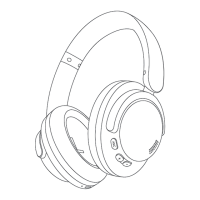
Phone Call Controls
• Answer / Hang Up: Single click the call button.
• Switch to Mobile Phone: Double click the call button.
• Decline: Press and hold the call button for 2 seconds.
• Activate Voice Assistant: Double click the power button (Bluetooth must be on
and not in a call).
Noise Cancellation (NC) Controls
• Toggle ANC Modes: Single click the ANC button to cycle through ANC ON, Pass-
through, and ANC OFF modes.
Volume Controls
• Increase Volume: Single click the volume up button.
• Decrease Volume: Single click the volume down button.
Note: When using the device in wired mode, noise cancellation is not available. Volume
adjustment and song selection can be operated via the connected device.
Extra Functions
• Unpairing: Press and hold the "+" and "-" buttons simultaneously for 5 seconds.
This will switch the headphones to automatic discovery mode.
• Security Pairing: If the pairing phone has Bluetooth version prior to 3.0, please
use the default security code "0000".
• Battery/Volume Display: This feature currently supports iOS only and may not
be available on other operating systems.
• Out of Wireless Connection Range: If the headphones are out of range of the
wireless connection, they will attempt to reconnect for 3 minutes. After this
period, they will automatically turn off if not connected to any device.
• OTA Firmware Update: The headphones can be upgraded synchronously via the
1MORE MUSIC APP while they are connected to each other and have at least 10%
battery.
Note: The functions of the 1MORE MUSIC APP may vary depending on the device or
operating system. For more details, please contact our customer service.


 To Next Page