
 Need help?
Do you have a question about the 2Boom PRIME HPBT290 and is the answer not in the manual?
Procedure for charging the Bluetooth headphone using the provided USB cable.
Steps to power the Bluetooth headphone on and off using the power button.
Guide to connect the headphone with Bluetooth-enabled devices like phones or music players.
Information on streaming music wirelessly after pairing the headphone with a device.
Instructions for answering and ending calls using the headphone's controls.
Recommendations for cleaning and maintaining the Bluetooth headphone to ensure longevity.
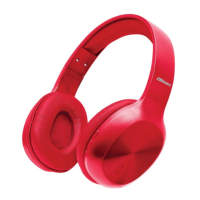
The 2Boom PRIME HPBT290 are Bluetooth stereo headphones designed for wireless audio playback and hands-free communication. These headphones feature a comfortable, adjustable design and are equipped with a built-in microphone, making them suitable for use with Bluetooth-enabled devices such as smartphones and music players. The headphones are designed to automatically connect to previously paired devices, offering convenience for regular users.
To get started, users should first remove the headphones and all packaging from the box. It's recommended to retain all packaging for future reference. The package contents include the Bluetooth headphones, a USB charging cable, an instruction manual, and a warranty card.
Before initial use, the headphones' built-in rechargeable battery should be fully charged. The charging process involves connecting the supplied USB charging cable to a computer's USB port and the Micro USB plug to the charging port on the headphones. A red LED light will illuminate to indicate that the device is charging. A full charge typically takes about 2-3 hours, after which the red light will turn off.
To power the headphones on or off, users need to press and hold the power on/off button for 2-4 seconds. An indication tone will confirm the action.
Pairing the headphones with a Bluetooth device is a straightforward process. First, ensure the headphones are turned off. Then, press and hold the MF (Multi-Function) button for 2-4 seconds to turn them on. The LED will flash blue rapidly, indicating pairing mode. The headphones and the Bluetooth device (phone or music player) should be placed within 3 feet of each other. Users then need to activate the Bluetooth function on their device and select "2BOOM-HPBT290" from the list of available Bluetooth devices. If prompted, the password '0000' should be entered to confirm pairing. A beep sound will confirm successful pairing, and the LED will flash blue slowly. The pairing mode lasts for approximately 10 minutes; if no device is paired within this time, the headphones will power off automatically. Once paired, the headphones will remember the device and automatically reconnect when Bluetooth is activated and within range. If users wish to pair with a new device, they should follow the same steps.
For music playback, once the headphones are paired, audio will stream wirelessly. The control functions for music include:
For making and managing calls in Bluetooth mode:
It's important to note that not all mobile phones may support all the functions listed, and certain functions and indication tones may vary depending on the mobile phone model. Users should refer to their cell phone's manual for further information.
The LED indicator provides status updates:
Maintenance and care are crucial for the longevity of the headphones. Users should avoid playing music at excessive volume levels to prevent hearing damage and equipment wear. The headphones should not be used outdoors in wet or damp environments. To prevent damage to the internal circuit, avoid exposing the headphones to liquids, moisture, or high humidity. Abrasive cleaning solvents should not be used. Extreme high or low temperatures can shorten the life of electronic devices, damage the battery, or distort plastic parts. The device should not be disposed of in fire, as it may explode. Contact with sharp objects should be avoided to prevent scratches and damage. Dropping the device can damage the internal circuit. Users should not attempt to disassemble the device unless they are professionals. If the device malfunctions, it should be returned to the store of purchase for assistance.
 General
| Connectivity Technology | Wireless |
|---|---|
| Wireless Technology | Bluetooth 5.0 |
| Driver Size | 40mm |
| Frequency Response | 20Hz - 20kHz |
| Charging Time | 2 hours |
| Microphone | Yes |
| Impedance | 32 Ohm |
| Connection | 3.5mm AUX |

 To Next Page