Page 36 Image Server 2000 Owner’s Manual
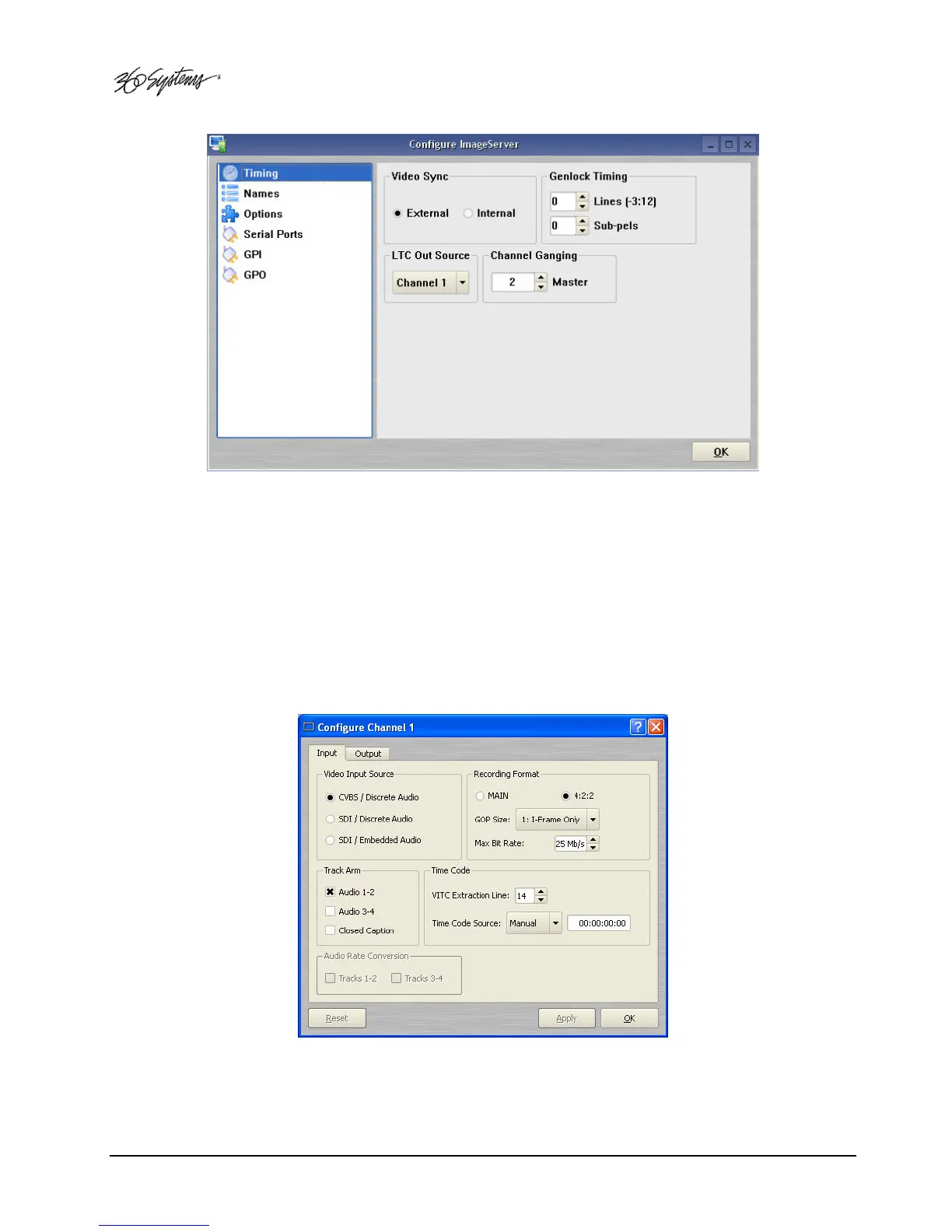
Figure 5 - Timing Configuration Screen
Setting the Video Input Source
The Image Server 2000 can accept a video signal at either its composite video input (CVBS), or its
serial digital (SDI) input. Verify that the input to be used is currently active. For a discussion of the
SDI – Embedded Audio option, refer to Configuring Embedded Audio on Page 66.
Select OPTIONS->CONFIGURE from the Channel 1 Transport Window.
The Dialog of Figure 6 appears. Select the appropriate Video Input source by clicking the related
radio button in the Video Input Source section of the dialog. Click APPLY or OK.
Figure 6 - Channel Configure Dialog



 To Next Page