Image Server 2000 Owner’s Manual Page 41
PLAYING A CLIP FROM THE GUI
Video Playback can be done on all three channels, individually or simultaneously. Channel 1
cannot Record and Playback at the same time. Follow these steps to play back a clip.
Beginning Playback
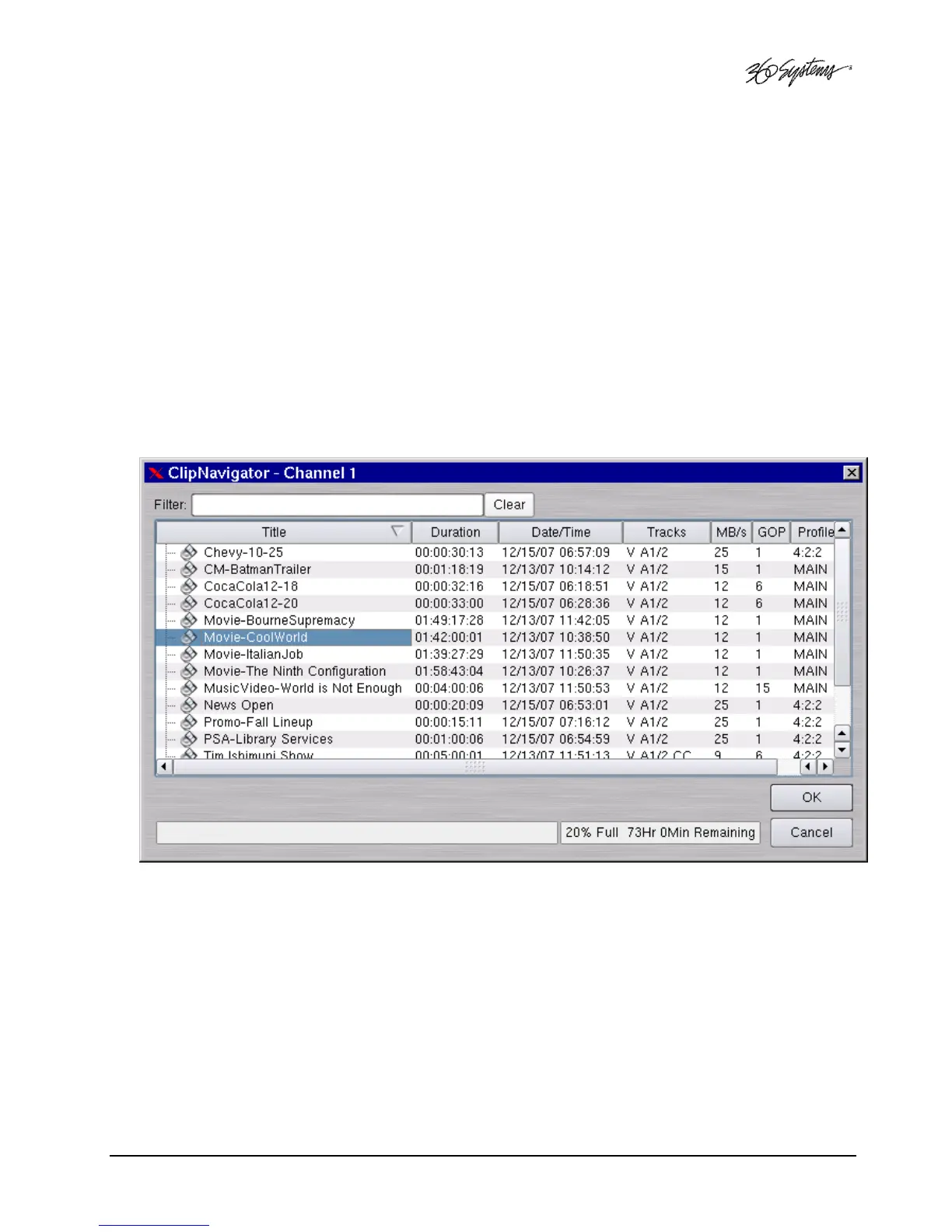
A. Select FILE>OPEN from the Transport Window of Channel 1, 2 or 3. The Clip Navigator will
appear per Figure 9.
B. Navigate the folder structure if necessary by clicking on the folders.
C. Select the clip you want to play by double-clicking on it.
D. When the Transport Window indicates Idle Ready, you can play the clip at any time by
clicking PLAY.
Figure 9 - Channel 1 Clip Navigator in “Open” Mode
Looping a Clip
Clicking on the LOOP checkbox in the Transport View will cause a clip to loop until LOOP is
unchecked or until you click STOP. LOOP may be checked or unchecked before or during
playback, but must be changed at least 2 seconds before the end of clip to take immediate effect.
Pausing a Clip
Click PAUSE at any time to pause a clip. Click again to resume. The PAUSE button is the same key
as the PLAY button.



 To Next Page