Image Server 2000 Owner’s Manual Page 77
Entering Network Parameters
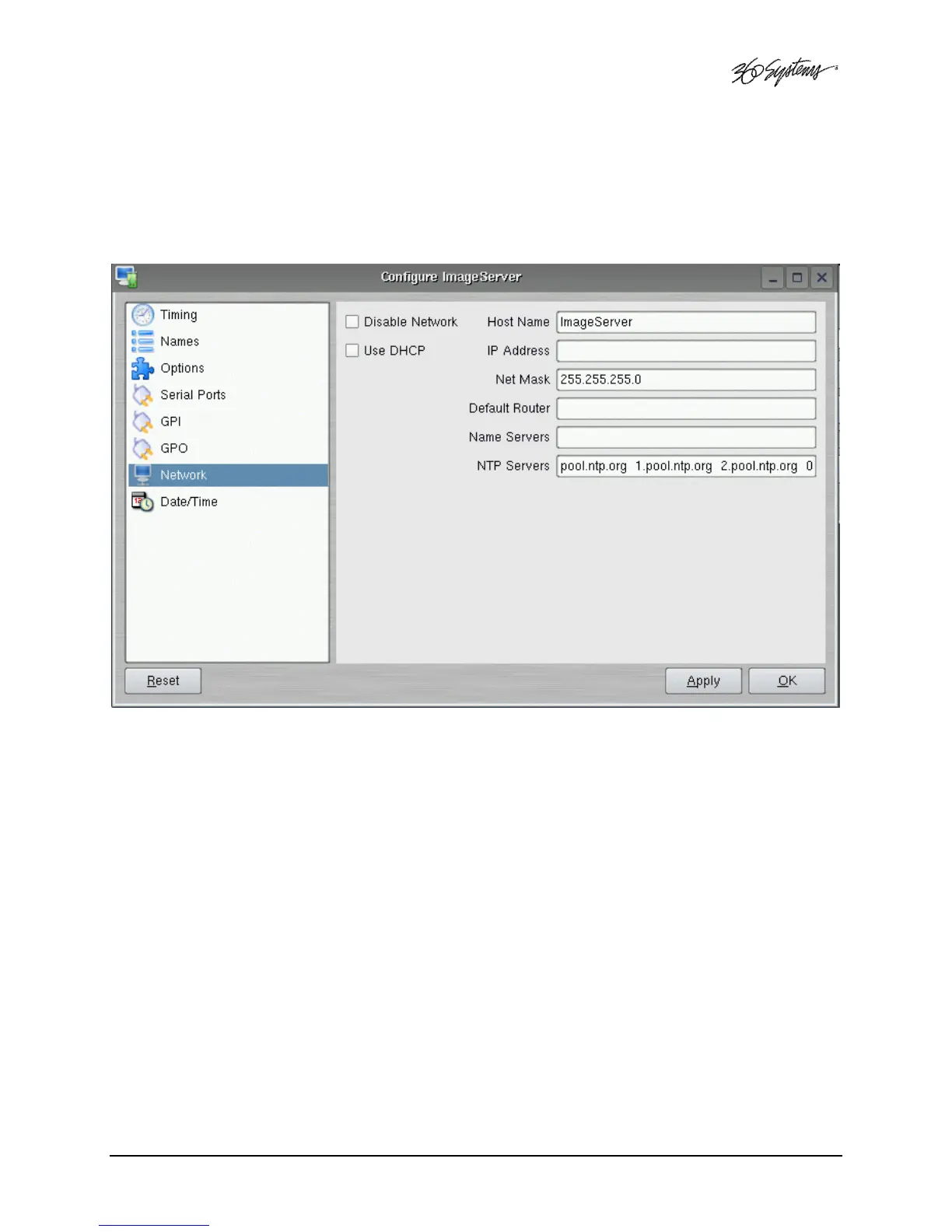
From the GUI’s main menu bar, Click EDIT>CONFIGURE>NETWORK. The screen of below
appears. Make sure the basic network parameters have been entered.
Figure 29 - Network Configuration Screen
Disable Network: uncheck
Host Name: (Any name will suffice, but since this name appears on each line of the Image Server’s
diagnostic logs, it is a good idea to keep this short.) The name should also be unique from other
devices on the network.
If “Use DHCP” if not checked, then enter a fixed IP address compatible with your local subnet. For
example,
IP Address: 192.168.1.20
Net Mask: 255.255.255.0
Default Router: 192.168.1.1
The Name Servers and NTP Servers fields provide the information needed to reach the public time
servers.
The NTP Servers field contains a list of time servers, either by numeric IP address, or by site name
(URL). Entries are separated by spaces.


 To Next Page
 Loading...