5
THERMAL GIMBAL FOR 3DR SOLO MANUAL
FLIR VUE/VUE PRO Installation
CONNECTING THE GIMBAL TO THE VUE/VUE PRO SERIES THERMAL CAMERAS:
Step 3:
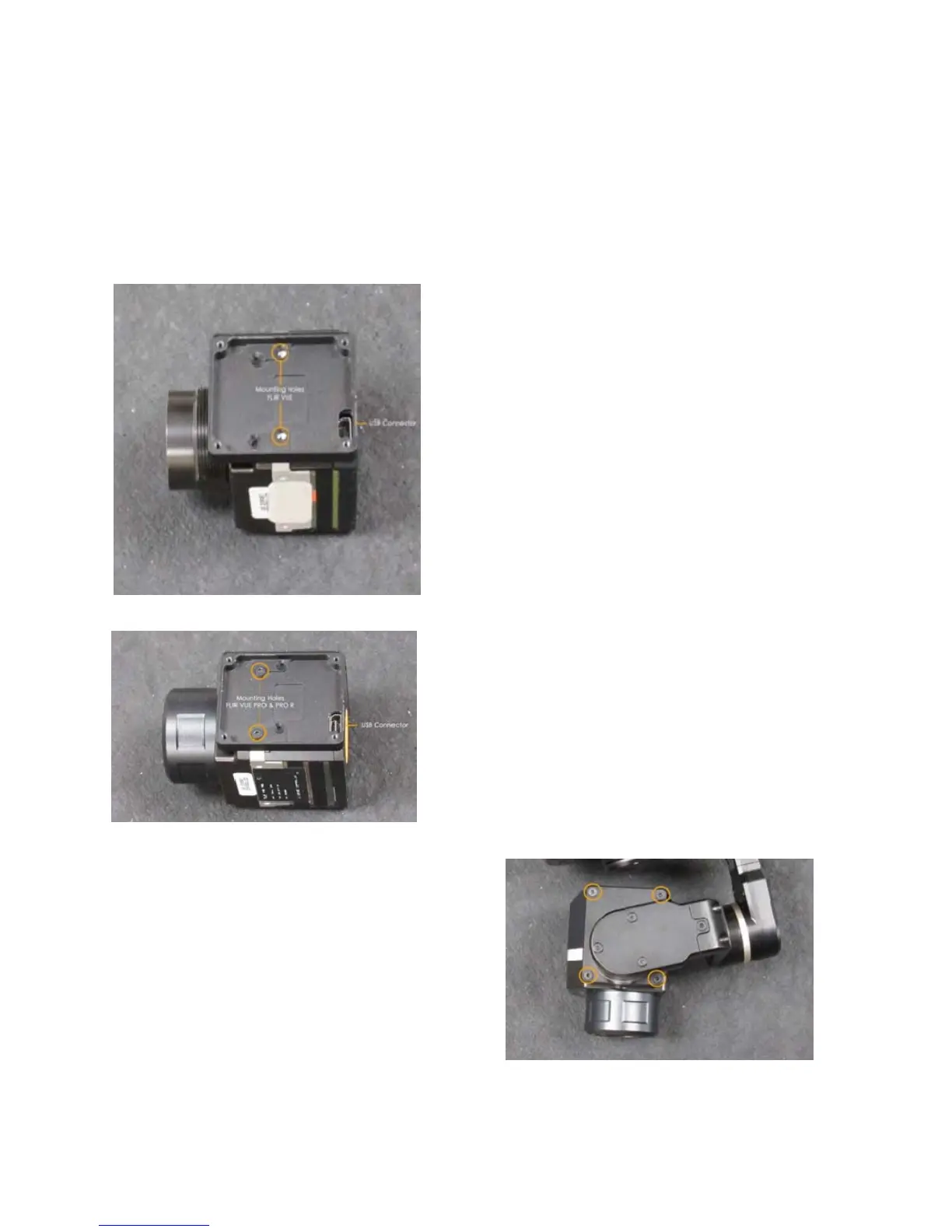
Plug the USB connector on the gimbal, into the
VUE Series Camera and secure using the four
short allen-head screws provided. (Fig. 6)
Step 2:
Align to the USB Connector to the cover plate.
The holes are aligned differently on the VUE
PRO/PRO-R. (Fig. 4&5)
Use the long allen-head screws provided, to
mount the plate on the camera.





 To Next Page