For further information regarding the above and assistance on this product, please visit
go.microlease.com/resources and search for “3Z”.
• Make sure the battery is adequately
charged, at least 10% is required.
• Make sure the unit has an unobstructed
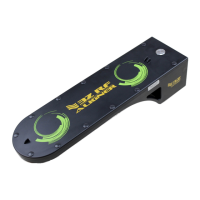
view of the sky. The green circles on top
of the unit must not be covered in order
for satellite reception.
• Ensure the 3Z RF Aligner is attached to
the highest point of the Antenna. This will
avoid potential interference from the low
band frequencies and improve satellite
visibility.
• Use the GPS Boost button to improve
satellite reception.
• If the issue persists, temporarily remove
the 3Z RF Aligner from the Antenna and
attempt to improve the view of the sky. If
azimuth reading appears, reattach the 3Z
RF Aligner on to the Antenna.
1
2
3
4
5
NO AZIMUTH READING:
CONTACT
V1.0


 To Previous Page
 Loading...