LIGHT SEQUENCE
Slow blue blinks
Red, Green, Blue
5 red blinks
4 red blinks
3 red blinks
2 red blinks
1 red blinks
8, TROUBLESHOOT
For additional troubleshooting assistance, please go to 4iiii.com/support
What do the power meter lights mean?
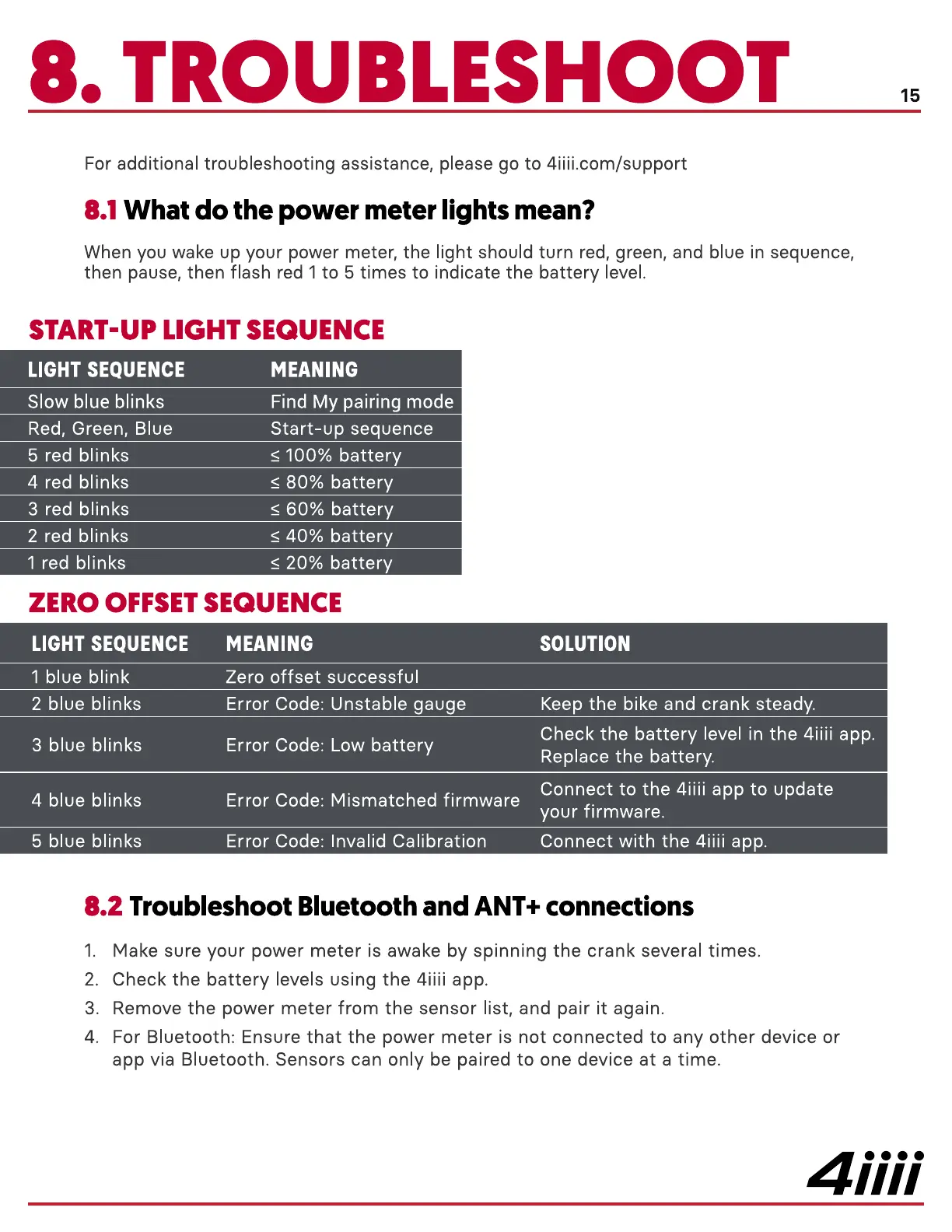
When you wake up your power meter, the light should turn red, green, and blue in sequence,
then pause, then flash red 1 to 5 times to indicate the battery level.
START-UP LIGHT SEQUENCE
Error Code: Low battery
MEANING
Find My pairing mode
Start-up sequence
100% battery
80% battery
60% battery
battery
20% battery
ZERO OFFSET SEQUENCE
LIGHT SEQUENCE
1 blue blink
2 blue blinks
3 blue blinks
4 blue blinks
5 blue blinks
MEANING
Zero offset successful
Error Code: Unstable gauge
Error Code: Mismatched firmware
Error Code: Invalid Calibration
SOLUTION
Keep the bike and crank steady.
Check the battery level in the 4iiii app.
Replace the battery.
Connect to the 4iiii app to update
your firmware.
Connect with the 4iiii app.
1.
2.
3.
4.
2 Troubleshoot Bluetooth and ANT+ connections
Make sure your power meter is awake by spinning the crank several times.
Check the battery levels using the 4iiii app.
Remove the power meter from the sensor list, and pair it again.
For Bluetooth: Ensure that the power meter is not connected to any other device or
app via Bluetooth. Sensors can only be paired to one device at a time.
4iiii


 To Next Page
 Loading...
