EasyManua.ls Logo

70mai Jump Starter - User Manual

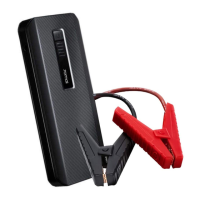
70mai Jump Starter
69 pages
Print Icon
To Next Page IconTo Next Page
Loading...
70mai Jump Starter User Manual
Please read this manual carefully and keep it
in a safe location before using the product

Questions and Answers

Summary

Product Overview

Indicator

Using the Product

Charging the device

Connect the USB cable to a charger and the Type-C port to the device for charging.

Charging Mobile Devices

Connect USB cable to device's 5V output to charge phones, tablets, and other electronics.

Jump Starting a 12 V Car

Connect jump starter to car battery, ensuring correct polarity, then follow indicator lights.

Important Notes and Warnings

Frequently Asked Questions (FAQ)

Troubleshooting

Packing List

Basic Parameters

Summary

Product Overview

Indicator

Using the Product

Charging the device

Connect the USB cable to a charger and the Type-C port to the device for charging.

Charging Mobile Devices

Connect USB cable to device's 5V output to charge phones, tablets, and other electronics.

Jump Starting a 12 V Car

Connect jump starter to car battery, ensuring correct polarity, then follow indicator lights.

Important Notes and Warnings

Frequently Asked Questions (FAQ)

Troubleshooting

Packing List

Basic Parameters

70mai Jump Starter Specifications

General IconGeneral
Battery Capacity11100mAh
Peak Current600A
Start Current300A
Input5V/2A
Dimensions163 x 87 x 27 mm
Output Voltage12V
Type-C Output5V/3A
Starting Current300A
Output5V/2.4A
Operating Temperature-20°C to 60°C
Weight0.42 kg

Related product manuals