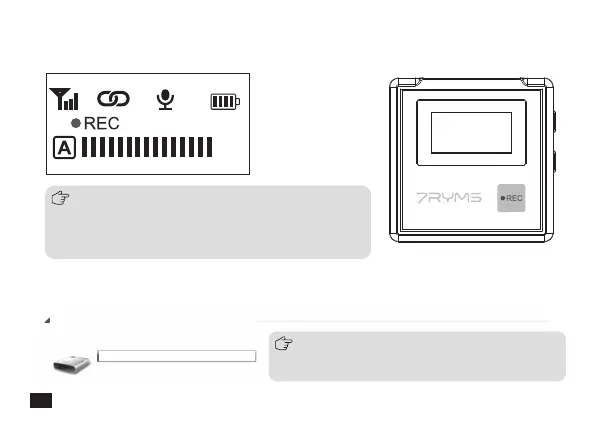
3. Use the REC function according to your need
Long press to start or stop the recording when the screen is on
4. Copy recording file according to your need
iRay DW30 disk appears after iRay DW30 is connected with the computer, and then you can copy the recording file
1. When you need to continuously record, a new recording file will
be saved every 2 hours of recording, and the total recording time
is 48 hours. When the 16G memory is full, the new recording file
will overwrite the old recording file
2. Please turn off the recording function before putting the TX into
the charging box. Otherwise, the recording files will get loss easily
00:00:00
iRay DW30
8 GB free of 8 GB
Please keep the TX turned on when copying recording files;
After connecting the USB-C interface of the TX, click the
record button to enter the USB drive
Devices with Removable Storage(1)
14



 To Next Page