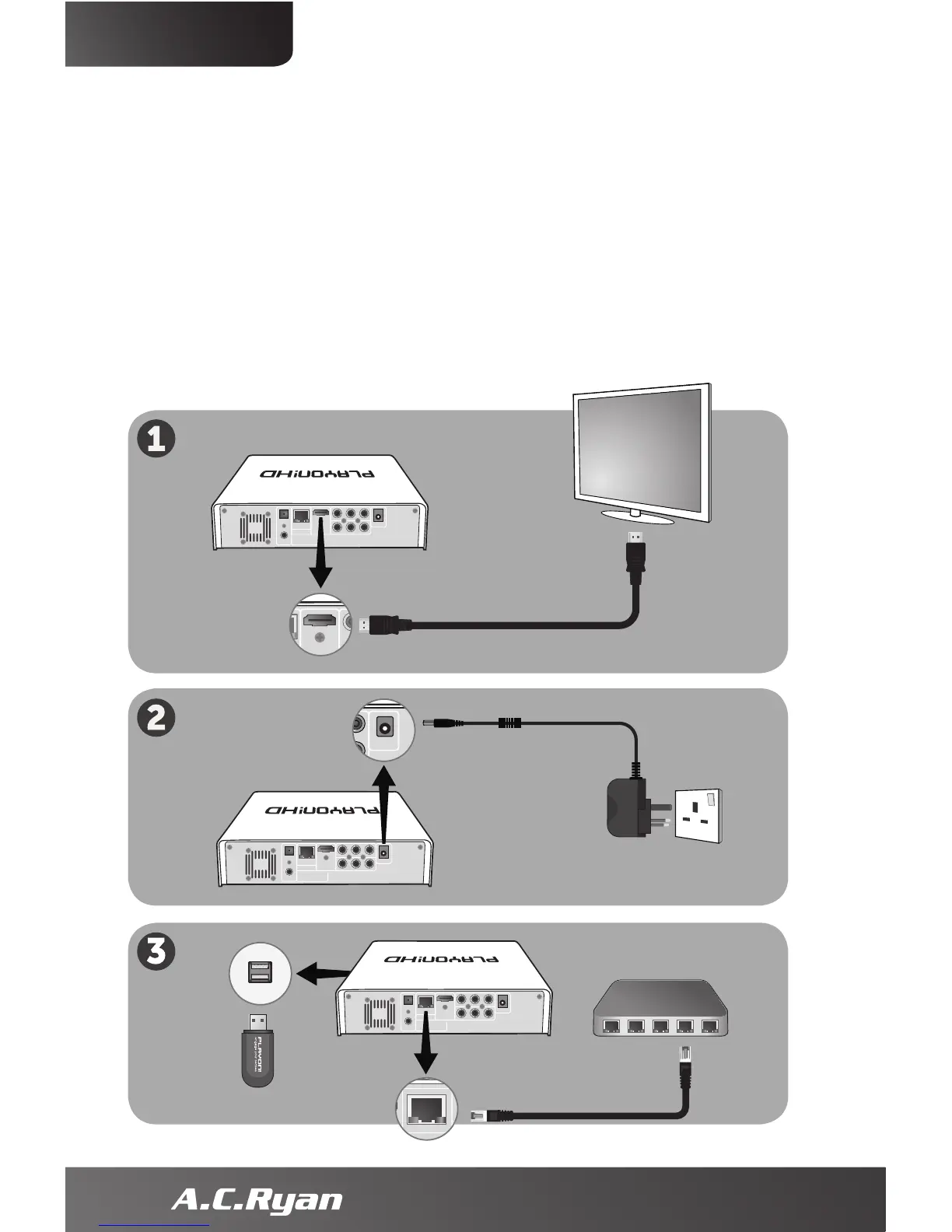
Connecting the hardware to your TV
1. Connect the included HDMI cable from the Playon!HD
to your TV for the highest quality video/audio.
2. Connect one end of the included power adapter jack to
your Playon!HD and the other end to your wall power socket.
3. To make the player part of your network you can connect
your player to your network by using a normal network cable
or optional Playon! Wireless dongle (both not included).
6
ENGLISH


 To Next Page