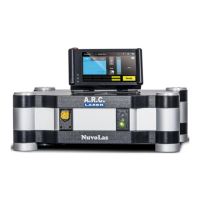
User Manual FOX 514
September 2021
File: User Manual_FOX 514_rev3 29
6.1 Preparation
The FOX 514 is delivered with a power supply, which can be connected at the back of the
device. The power supply is not only used to operate the device it also charges the internal
battery pack (with surge protection). Power supply input voltage ranges between 100V and
240V.
Please follow the following steps when preparing the device to operation, in order to avoid
unnecessary troubleshooting or even possible malfunctions.
• Is the battery charged or is the mains cable at the rear panel connected? – The power
supply should only be connected when the device is switched off
• Has the door interlock switch for the external interlock been plugged in? – or, if
applicable: has the door interlock contact been connected to the laser?
• Be aware that no fiber is connected.
• Are the fibers and hand pieces that are to be used, free of any damage?
• Is there sufficient number of safety goggles ready to be used?
• Has the footswitch been plugged in?
A T T E N T I O N
All warning lights outside the treatment room must be switched on as soon as the laser
starts to operate. The doors have to be marked accordingly, visible from outside with the
warning signs
6.1.1 Installation Site
We recommend placing the FOX 514 laser on a solid, even
surface. A suction cup mount is included in the carrying case
to secure the device.
6.1.2 Suction Cup Mount
Moisturize the cups and press them firmly onto the even
surface. Verify if they position firmly by slightly shaking or
pushing the suction cups.



 To Next Page
 Loading...