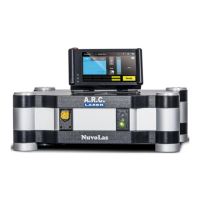
User Manual FOX 514
September 2021
File: User Manual_FOX 514_rev3 36
6.5 Inserting the Applicator
When the preselected power and pulses comply with the treatment parameters, the
applicator can be plugged into the laser device.
Gently push the applicator plug into the socket. In case it does not click in correctly, try to
twist the plug inside the socket.
If the plug has not properly connected, the device will not change into READY mode, and
the FOX 514 will not work. Please pay attention to the clearly noticeable „click“ when
plugging in!
If the applicator is inserted correctly and the laser is in READY mode, the aiming beam will
be visible at the end of the applicator. There are many reasons if no aiming beam is visible.
Please refer to chapter 8.5.2 which contains several possibilities to solve the problem.
Please do not insert any objects or liquids into the port.
6.6 Laser STANDBY / READY
The READY button is a black circular push button, with two yellow
LEDs.
Press the READY button, to switch to READY mode. Upon pressing,
the two yellow LEDs will start flashing, accompanied by a noticeable
sound. After approx. 3 sec the two yellow LEDs will remain constantly
on, indicating that the device is now ready for operation.
Pressing the READY button again, will deactivate the READY mode and switch the
device into STANDBY mode.
6.7 Release Laser Radiation
To trigger the laser, press the foot switch. For that, the laser must be switched to the READY
mode.
When a laser shot is fired, a warning signal sounds simultaneously and the red laser
emission LED on the fiber socket lights up.



 To Next Page
 Loading...