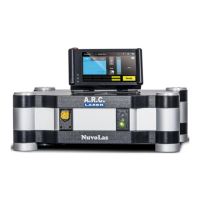
User Manual FOX 514
September 2021
File: User Manual_FOX 514_rev3 4
6.2 Starting the Device ............................................................................................................................ 30
6.3 Programs and Settings ...................................................................................................................... 31
6.3.1 Display / Main Menu ...................................................................................................................... 31
6.3.2 Saving parameters ......................................................................................................................... 31
6.3.3 Power settings ............................................................................................................................... 31
6.3.4 Pulse length ................................................................................................................................... 32
6.3.5 Pulse pause ................................................................................................................................... 33
6.3.6 Pulse Counter ................................................................................................................................ 33
6.4 Further Settings ................................................................................................................................. 34
6.4.1 Submenu 1 ..................................................................................................................................... 34
6.4.2 Submenu 2 ..................................................................................................................................... 34
6.4.3 Submenu 3 ..................................................................................................................................... 35
6.5 Inserting the Applicator ...................................................................................................................... 36
6.6 Laser STANDBY / READY ................................................................................................................ 36
6.7 Release Laser Radiation ................................................................................................................... 36
6.8 Treatment .......................................................................................................................................... 37
6.9 Laser-Stop ......................................................................................................................................... 37
6.10 Switching Off ..................................................................................................................................... 37
6.11 Power Save ....................................................................................................................................... 38
6.12 Charging the battery .......................................................................................................................... 38
6.13 Symbol Description ............................................................................................................................ 39
7 Technical Data ............................................................................................................... 40
7.1 General .............................................................................................................................................. 40
7.2 Laser Data ......................................................................................................................................... 40
7.3 Electrical Connection Data ................................................................................................................ 40
7.4 Classifications .................................................................................................................................... 40
8 Maintenance ................................................................................................................... 41
8.1 Introduction ........................................................................................................................................ 41
8.2 Safety Check (STK) ........................................................................................................................... 41
8.3 Care by the user ................................................................................................................................ 42
8.4 Cleaning of Accessories .................................................................................................................... 43
8.4.1 Laser Safety Goggles .................................................................................................................... 43
8.4.2 Applicators ..................................................................................................................................... 43
8.4.3 Foot switch ..................................................................................................................................... 43
8.5 Error Detection .................................................................................................................................. 43
8.5.1 System Check ................................................................................................................................ 43
8.5.2 Troubleshooting ............................................................................................................................. 44
8.5.3 Error Messages .............................................................................................................................. 45
8.5.4 Warning Messages ........................................................................................................................ 45
8.5.5 Status Messages ........................................................................................................................... 46
8.6 Disposal ............................................................................................................................................. 46
9 Customer Service .......................................................................................................... 47
9.1 Warranty Information ......................................................................................................................... 47
9.2 Warranty Shipment, Packaging ......................................................................................................... 47
9.3 Sales and Service Information .......................................................................................................... 47
10 Guidelines and Manufacturer’s Declaration ................................................................. 48
10.1 Electromagnetic Emissions ............................................................................................................... 48
10.2 Electromagnetic Immunity (1) ............................................................................................................ 49
10.3 Electromagnetic Immunity (2) ............................................................................................................ 51
10.4 Recommended separation distances between portable and mobile RF telecommunications



 To Next Page
 Loading...