34
20. CALORIES (Countdown) PROGRAM
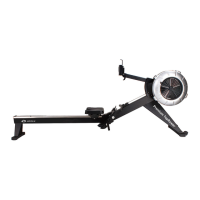
- During the workout, the “CALORIES” program will count down from preset value. The program will start
once the user pulls the Handle (44). When the program is finished, the monitor will show “END” with an
audible alarm. Press “BACK” button to go to the previous mode.
21. GAME PROGRAM
- When the “GAME” program is selected, the program will start once the user pulls the Handlebar. There
is no presetting value to be entered. When the program is finished, the monitor will show your score
with an audible alarm. Press the “BACK” button to go to the previous mode.
22. 20/10 INTERVAL PROGRAM
- When it is in the “20/10 INTERVAL” program, the console monitor will display flashing “8” for presetting
value of cycle. “20” is 20 seconds for exercising, and “10” is 10 seconds for resting. Then user can use
“UP” and “DOWN” buttons to input the value from 1 to 99. The user will workout for 20 seconds and
then rest for 10 seconds. When the program is finished, the monitor will end with an audible alarm.
Press the “BACK” button to go to the previous mode.
23. 10/20 INTERVAL PROGRAM
- When it is in the “10/20 INTERVAL” program, the console monitor will display flashing “8” for presetting
value of cycle. Then user can user “UP” and “DOWN” buttons to input the value from 1 to 99. User will
workout for 10 seconds and then rest for 20 seconds. The program will start once the user pulls the
Handle (44). When the program is finished, the monitor will end with an audible alarm. Press the
“BACK” button to go to the previous mode.
-
24. 10/10 INTERVAL PROGRAM
- When it is in the “10/10” INTERVAL” program, the console monitor will display flashing “8” for
presetting value of cycle. Then user can use “UP” and “DOWN” buttons to input the value from 1 to 99
for number of cycle, workout time, and rest time. The program will start once the user pulls the Handle
(44). When the program is finished, the monitor will end with an audible alarm. Press the “BACK”
button to go to the previous mode.



 To Next Page
 Loading...