68
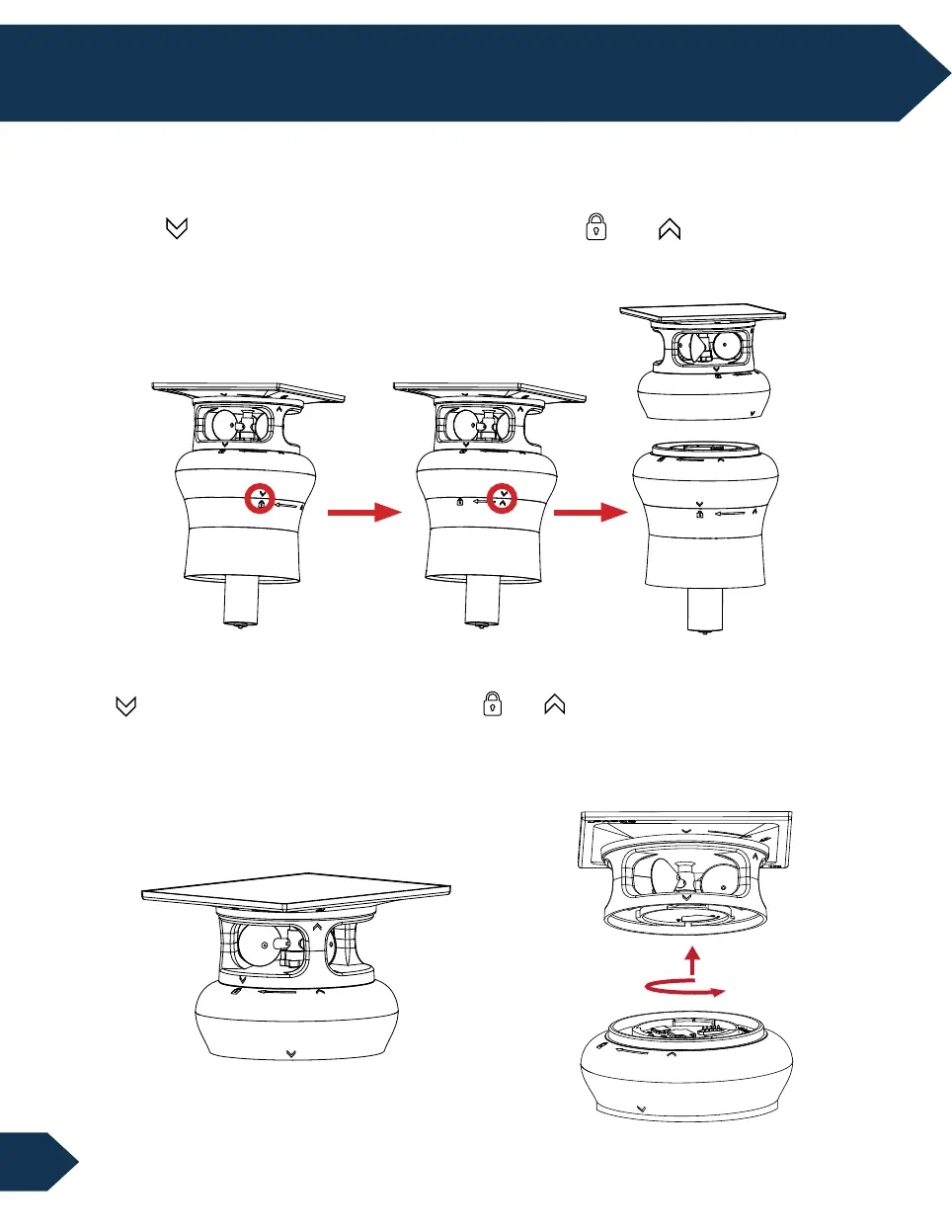
2. Remove the wind sensor by rotating the wind sensor 60° counterclockwise. Align the
“ “ on the lower side of the wind sensor “ ”→“ ” on the upper side of the control
board. Remove the wind sensor from the control board. Remove the silicon cover at the
top of the control board and switch the power to off.
How to Remove the Control Board
1. Remove the control board by rotating the control broad 60°counterclockwise.
Align “ “ on the lower side of the control board from “ ” → “ ” on the upper side of
the motor. Remove the control board from the motor.
8. Entretien et Maintenance


 To Next Page