15
17
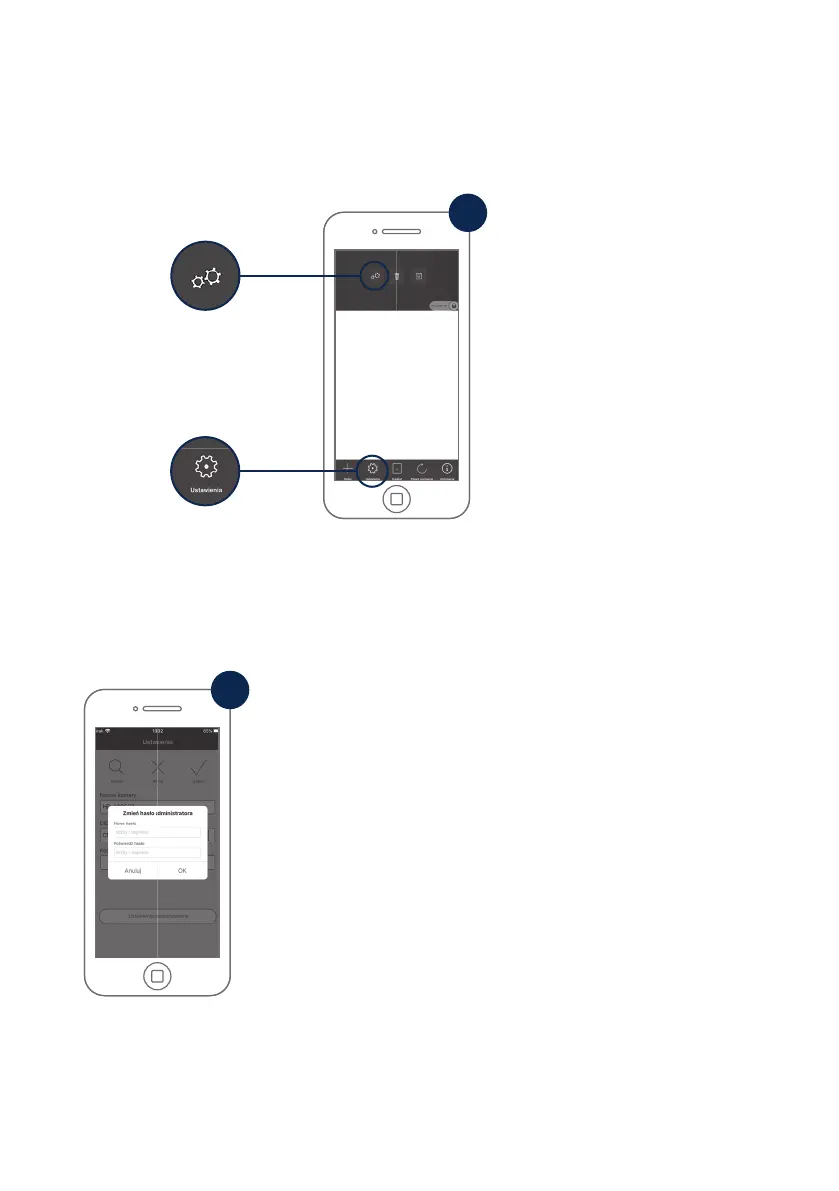
1) Symbol ustawień na dole
1) Settings symbol bottom
2) Ikona ustawień u góry
2) Settings icon top
Aby dokonać dodatkowych
ustawień stacji bazowej i kamery
kliknąć 1) Symbol ustawień na dole,
anastępnie 2) Ikona ustawień w
obrazie kamery.
In order to con gure additional
settings for the base station and
camera, click on the 1) Settings
symbol at the bottom and then
on the 2) Settings icon in the
camera image.
16
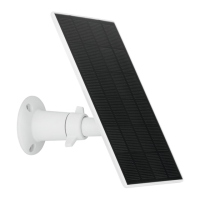
Przy pierwszym uruchomieniu należy zmienić hasło
administratora. Podać fabryczne hasło „123456” i aktywować
„Automatyczne logowanie”, aby zapisać hasło na urządzeniu
końcowym. Hasłomusi składać się z8znaków - kombinacji z
liczb oraz wielkich i małych liter.
The admin password must be changed during commissioning.
Enter the factory default password „123456“ and activate „auto-
registration“ in order to save the password on the end device.
The password must consist of 8 characters – a combination of
numbers as well as lower and uppercase letters.



 To Next Page