– 38 –
Networking
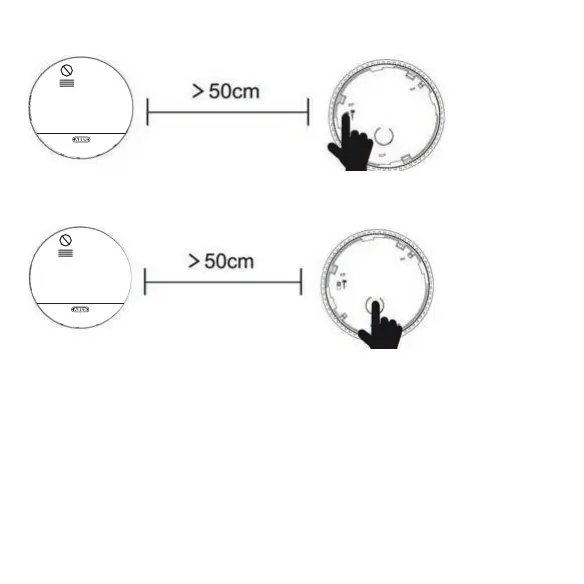
4. Press the code button on the bottom of the second smoke detector: the red LED
are in coding mode. If both green LEDs of the smoke alarms light up simul-
taneously, the networking was successful. If they are not successful, the two
6. Repeat the procedure for all other smoke detectors to be networked. Each
additional detector must be networked with a detector that is already networked.
7. As soon as you have connected all smoke alarms to each other, press the test /
stop button on each smoke alarm and check that the alarm signal is working on
all networked smoke alarms. Also check that the red LED only works on the tested
smoke detector.
3. Switch on the power switch at the bottom of the second smoke detector.


 To Next Page