7
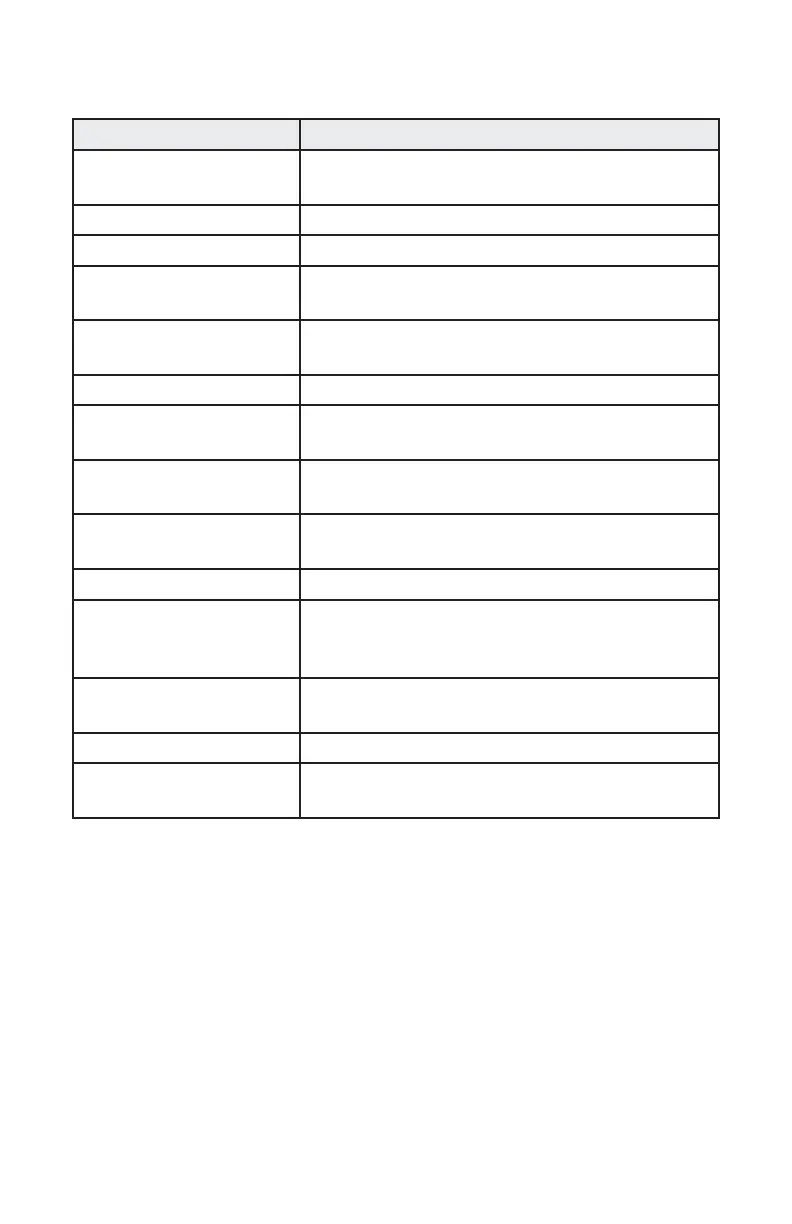
DisplayLink Manager Menu
Menu Option Description
DisplayLink Manager Displays the version of the installed
DisplayLink software.
Check for Updates Checks Windows update.
DisplayLink Devices Checks connected DisplayLink devices.
Audio Setup Opens the Windows Audio Conguration
window.
Video Setup Opens the Windows Screen Resolution
window.
Screen Resolution Displays a list of available resolutions.
Screen Rotation Rotates the screen clockwise or counter-
clockwise.
Extend To Extends the display to the right or left of the
main display.
Extend Extends the Windows desktop onto the
displays.
Set as Main Monitor Sets this screen as the main display.
Notebook Monitor Off Switches off the display of the notebook
and makes the DisplayLink display the main
display.
Mirror Copies what is on the main display and
reproduces it on this display.
Off Switches off the display.
Fit to TV Use this function to adjust the size of the
windows to t the TV screen.


 To Next Page