9
Set Display to Fit TV
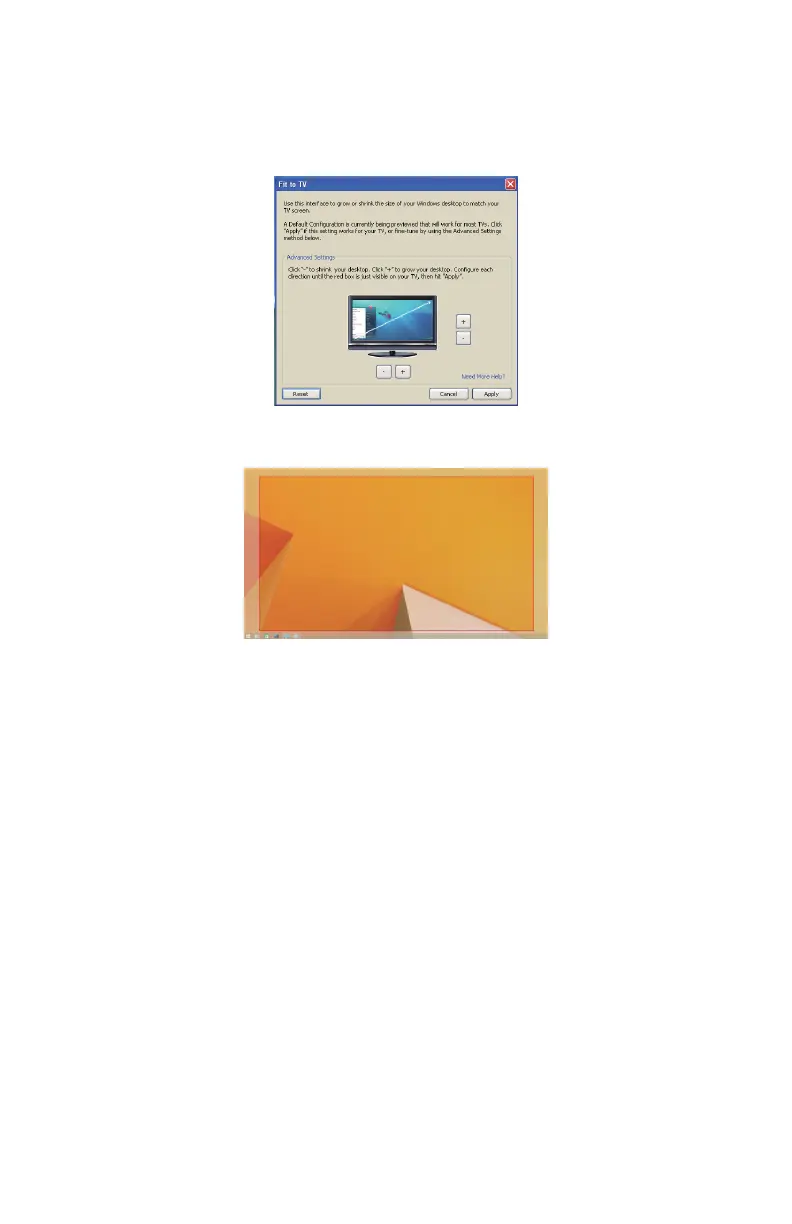
1. To congure Fit to TV, choose the option from the DisplayLink
graphical user interface (GUI). The following interface appears:
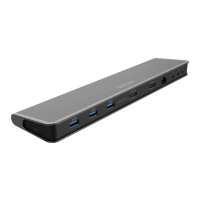
2. You will also see a red border on the DisplayLink screen.
The red border shows the size of the new Windows desktop. Use the
“+” and “-” controls on the Fit to TV GUI to change the size of the red
border until it ts on the TV screen.
Note: Finer conguration of the size of the border can be achieved
by holding down the CTRL key and click on the “+” and “-”.
3. Once the red border is at the edges of the TV screen, click Apply
to resize the Windows desktop.


 To Next Page