5
Installation
[Note]
1. It is recommended to use cable ties (optional) to secure and manage cables.
2. It is recommended to allocate 2 persons for efficient device cabling.
Adapter Installation
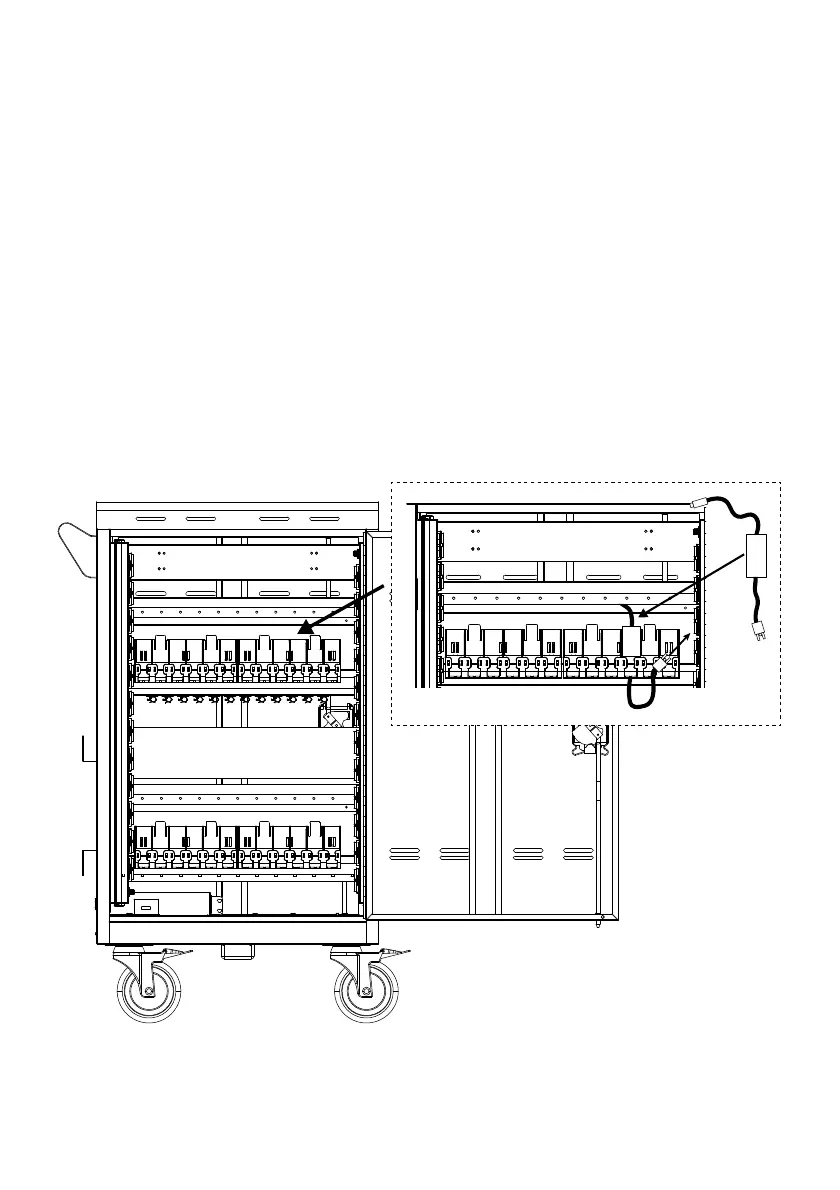
1. Open the rear door.
2. Place the power adapter into the individual adapter compartment.
3. Pass the DC-end of the adapter cable to the front of the cart through the space
provided.
4. Plug-in the AC-end power cord to the corresponding power AC socket.
5. Bundle the cable and secure it with a cable tie or zip-tie (not supplied).


 To Next Page