8
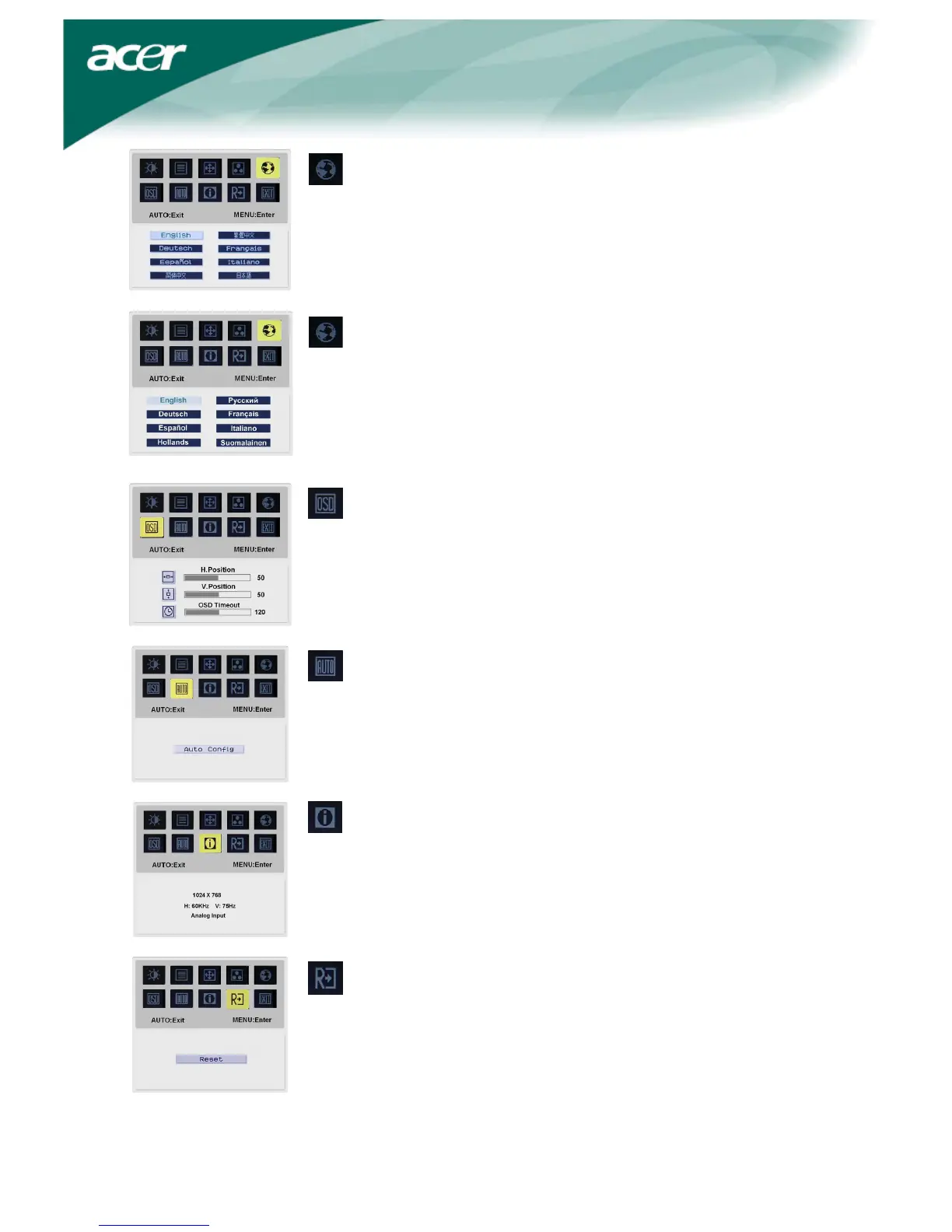
Language for Asia:
Select the OSD menu language. Select from English, German,
Spanish, Simplified Chinese, Traditional Chinese, French,
Italian, and Japanese.
Language for EMEA:
Select the OSD menu language. Select from English, German, Spanish, Russia,
Nederlands, French, Italian, and Finnish.
OSD SETTING:
This changes the position of the OSD window on the screen and staying
time.
Auto Config:
System runs auto-configuration.
INFORMATION:
This shows brief information on the screen.
Reset:
Recall to default settings.


 To Next Page