Need help?
Do you have a question about the Acer PREDATOR Galea 300 and is the answer not in the manual?
Details the technical specifications including drive unit, frequency, impedance, and sensitivity.
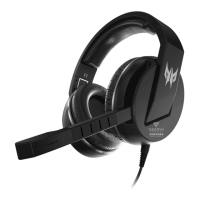
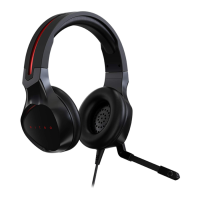
Identifies key components of the headset such as ear pads, headband, microphone, and audio jack.
Provides step-by-step guidance on how to wear and connect the headset to a playback device.
Addresses common user queries, such as no sound issues, and offers troubleshooting steps.
Details important safety measures, including handling, water exposure, and abnormal conditions.
Specifies the recommended temperature and humidity ranges for operating and non-operating conditions.
Confirms product compliance with essential requirements of European Council Directives like RoHS and EMC.
Instructs users on the proper disposal of the product in accordance with local regulations.
Outlines compliance with FCC Rules and Canadian ICES-003 for digital apparatus operation.
The Predator Galea 300 (PHW810) is a gaming headset designed to provide an immersive audio experience for users. This quick start guide outlines its operation, safety precautions, and environmental considerations, ensuring proper use and longevity of the product.
The Predator Galea 300 is primarily designed for audio output and voice communication, making it suitable for gaming, online calls, and listening to music. It connects to a music playing device via a 3.5mm audio jack, providing a straightforward plug-and-play experience. The headset features a retractable microphone, allowing users to engage in clear communication when needed and stow it away when not in use, contributing to a cleaner aesthetic and preventing obstruction. The design focuses on delivering sound directly to the user's ears while also enabling them to transmit their voice, making it a comprehensive audio solution for interactive applications.
The headset is designed with user comfort and convenience in mind. It features PU leather ear pads, which are intended to provide a comfortable fit during extended periods of use. The headband is adjustable and also made of PU leather, allowing users to customize the fit to their head size and shape. This adjustability is crucial for ensuring proper headband orientation and a secure, comfortable fit, which can significantly enhance the overall user experience, especially during long gaming sessions.
To use the headset, users first place it on their head, paying attention to the "L" (left) and "R" (right) indicators printed within each ear cup to ensure correct orientation. After positioning the headset, the headband can be slid up or down to achieve the desired fit. Finally, the 3.5mm audio jack is plugged into the audio port of the music playing device. This simple three-step process makes the headset easy to set up and use immediately.
The retractable microphone is a key usage feature, offering flexibility. When communication is required, the microphone can be extended and positioned for optimal voice capture. When not needed, it can be retracted back into the headset, keeping it out of the way and protected. This design choice contributes to the headset's versatility, allowing it to transition seamlessly between communication-heavy tasks and pure audio listening.
While the manual does not explicitly detail maintenance features, it provides crucial information regarding the care and troubleshooting of the device, which indirectly contributes to its longevity and proper functioning.
For troubleshooting audio issues, the manual advises users to check if the volume is too low and to ensure that the 3.5mm audio jack is properly connected to the audio port. These simple checks are often sufficient to resolve common sound problems, empowering users to perform basic diagnostics themselves.
The manual also includes important caution statements that serve as guidelines for maintaining the device's integrity and preventing damage. Users are explicitly warned not to disassemble the device or operate it under abnormal conditions. This prevents potential damage to internal components and ensures the headset remains in its intended operational state. Furthermore, users are advised not to submerge the device in water, which is a common cause of electronic failure.
In cases where the device is not functional or experiences a thermal abnormal situation, the first recommended step is to re-plug the connector. This simple action can often reset the connection and resolve temporary glitches. If problems persist after these corrective measures, users are directed to contact their dealer or an authorized service center for assistance. This guidance ensures that users seek professional help when necessary, preventing further damage from improper self-repair attempts.
The environmental guidelines provided also contribute to the device's maintenance by specifying optimal operating and non-operating conditions. The headset is designed to operate within a temperature range of 0 °C to 40 °C and a non-condensing humidity of ≤ 85%. Adhering to these environmental specifications helps prevent damage from extreme temperatures or excessive moisture, thereby extending the product's lifespan.
Finally, the disposal information emphasizes responsible end-of-life management. Users are instructed not to dispose of the product with general household waste but to comply with local regulations, contact their city office, household waste disposal service, or the shop where the product was purchased. This promotes environmentally friendly disposal practices, which is an important aspect of product lifecycle management.
 General
| Type | Gaming Headset |
|---|---|
| Connectivity | Wired |
| Driver Size | 50 mm |
| Frequency Response | 20 Hz - 20 kHz |
| Impedance | 32 Ω |
| Connector | 3.5 mm |
| Microphone Frequency Response | 100 Hz - 10 kHz |
| Circumaural | Yes |
| Compatibility | PC |

 To Next Page