EasyManua.ls Logo

ACME IP1101 - Advanced Features and Mounting; Advanced Settings Menu

ACME IP1101
92 pages
Print Icon
To Next Page IconTo Next Page
To Previous Page IconTo Previous Page
Loading...
8
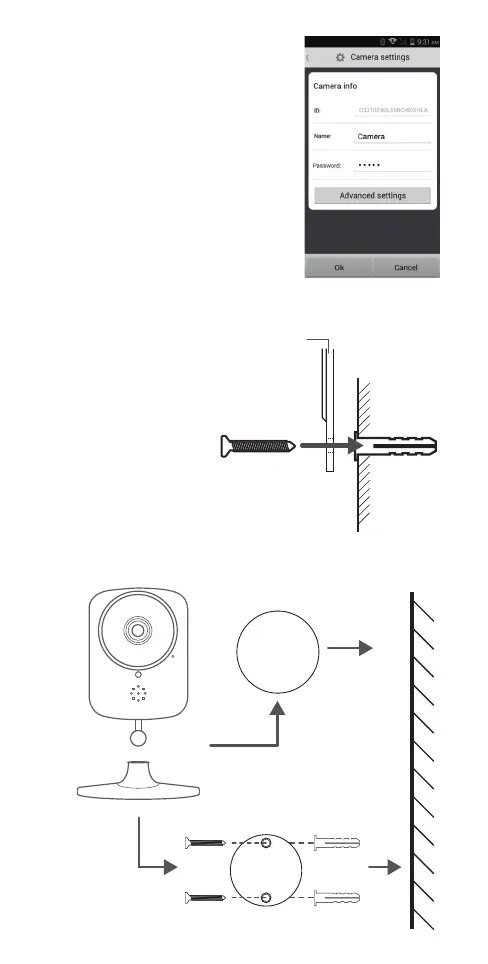
Other settings under “Advanced
settings” menu
• Change camera password
• Recording settings
• Camera lens position
• Motion detection settings
• Video settings
• Time settings
• Camera rmware update
• QR code sharing: for adding camera
broadcast to other devices
• Device information
Camera mounting scheme
• The camera base
is magnetic.
• The 2-sided sticky foam
pad is for attaching
the camera to non-
magnetic surfaces.
• The metal mounting
pad can be installed to
a non-magnetic surface,
allowing the camera
base to stick to that.
Metal mount
Screw
Wall
Plastic
anchor
Stick to the base
Magnetic pad
Mount
screws
Plastic
anchors
Stick to the base
Two sided foam pad
Metal mount