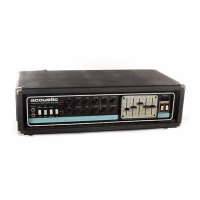
B15, B30, B100 MKII, B200 MKII, B450 MKII
|
OWNER’S MANUAL
www.acousticamplification.com
7
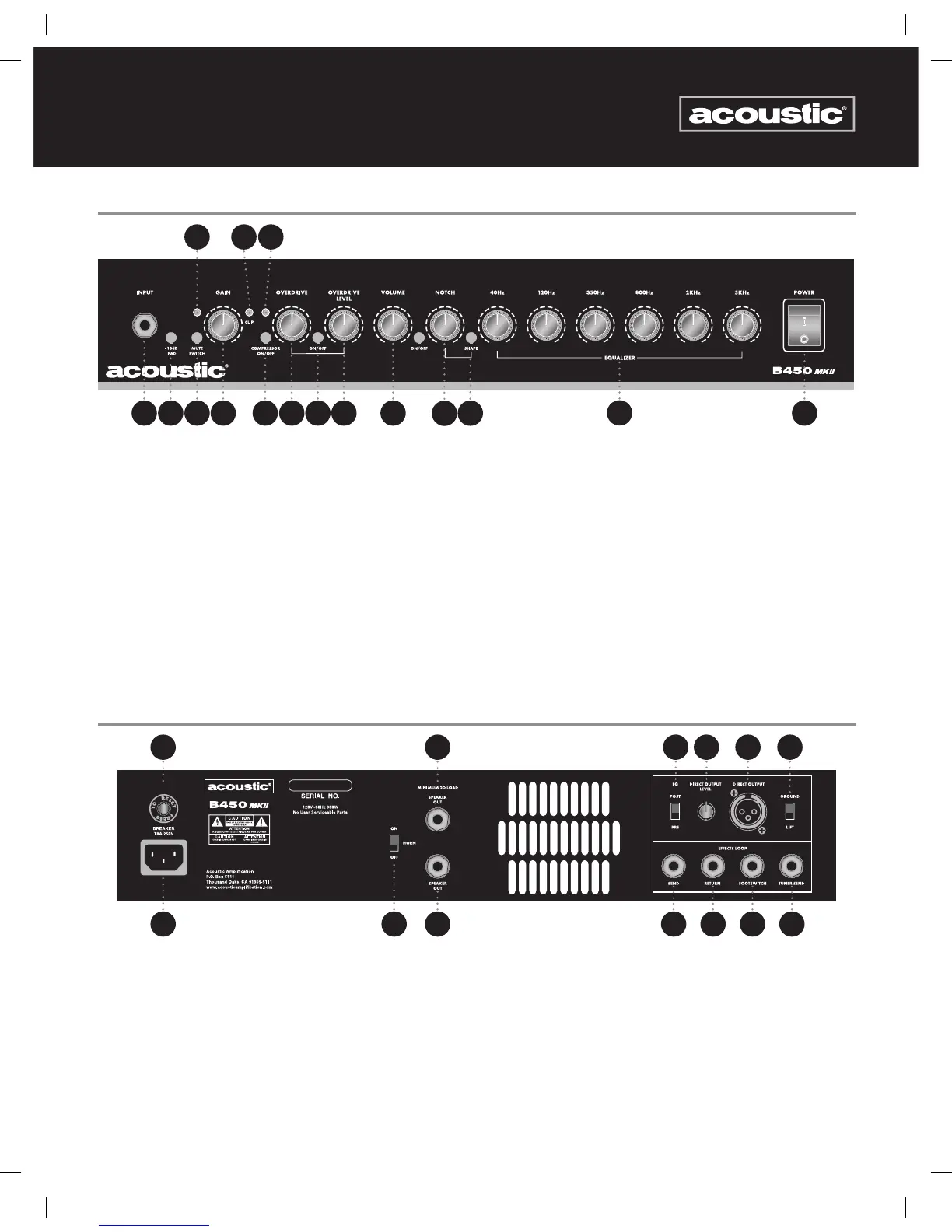
B450 MKII FRONT PANEL
1. Bass Input: ¼” two-conductor jack
2. -10 dB pad: Reduces input sensitivity for use with active electronics basses or high output pickups
3. Mute Indicator Light: Will glow when active
4. Mute Switch: When engaged, this mutes the amplifier output
5. Gain: Adjusts the level of preamp input gain
6. Clipping Light: Lights in red when hi gain creates preamp clipping
7. Compression Indicator Light: Indicates the level of compression when the compressor is engaged (8)
8. Compressor On/Off: Engages compression circuitry when button is depressed
9. Overdrive: Controls the amount of overdrive
10. On/Off Switch: Activates the Overdrive circuit
11. Overdrive Level: Controls the mix of overdrive to clean signal
12. Volume: Adjusts the overall volume level of the amplifier
13. Notch: Adjusts the -10dB notch frequency from 50Hz to 1kHz. Note: The B450 MKII also includes an On/Off switch for the Notch
14. Shape: This button decreases the level of the mid frequencies creating an alternate EQ curve
15. Equalizer: These 6 knobs increase or decrease the level of the associated frequency.
16. Power Switch: When lit, the amplifier is on and ready for use.
2 4 8 10
14
15
763
5 9 11 12
13
161
B450 MKII BACK PANEL
10 11 12 13531
6 7 8 942
1. AC power cable: Connect Power cable to AC source
2. Circuit breaker reset
3. Horn On/Off: Turns the internal high frequency horn on or off
4. ¼” speaker jack for attaching external speaker (minimum 2 Ohm total load)
5. ¼” speaker jack for attaching external speaker (minimum 2 Ohm total load)
6. Pre/Post EQ Switch: Switches Balanced Output between pre and post EQ operation
7. Direct Output Level: Adjusts the level of the direct output signal
8. Direct Output: XLR direct balanced output connector jack
9. Ground Lift: Lifts the ground from the XLR direct output. Useful for eliminating hum when the direct out is used
10. Effects Send: ¼” two-conductor jack sends signal to an external effects or signal processing device
11. Effects Return: ¼” two-conductor jack returns signal from an external effects or signal processing device
12. Footswitch: ¼” Tip, Ring, Sleeve jack for attaching optional 2 button footswitch. Controls Overdrive On/Off and Effects Loop On/Off
13. Tuner Send: Attach electronic instrument tuner via ¼” 2 conductor instrument cable.
9778 B15 B30 B100MKII B200MKII B450MKII Owner's Manual.indd 7 7/13/12 4:22 PM



 To Next Page