

EasyManua.ls Logo

Acroprint 125 - User Manual

Acroprint 125
4 pages
Print Icon
To Next Page IconTo Next Page
Loading...
888 534-5994
Model 125
USER MANUAL

Other manuals for Acroprint 125

Question and Answer IconNeed help?

Do you have a question about the Acroprint 125 and is the answer not in the manual?

Summary

General Service Instructions

To Remove Case Cover

Instructions for removing the recorder's protective casing.

To Set Time and;or Date

Procedures for adjusting the recorder's time and date settings.

Important Notes

Key considerations and reminders for recorder operation and maintenance.

To Set Time and;or Date for Left Print Models

Specific instructions for setting time/date on left-print models.

To Change Ribbon

Installing the Time Recorder

Unpacking and Inspection

Guidance on carefully unpacking and inspecting the recorder upon arrival.

Site Requirements

Conditions to avoid when selecting a location for the time recorder.

Mounting the Recorder and Card Racks

Instructions for mounting the recorder on various wall types.
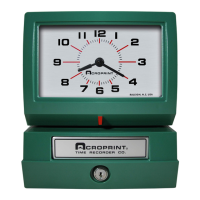
Acroprint 125 Specifications

General IconGeneral
BrandAcroprint
Model125
CategoryTimer
LanguageEnglish

Videos

How to Set the Month (Model 125 and Model 150)

How to Set the Day/Date (Model 125 and Model 150)