EasyManua.ls Logo

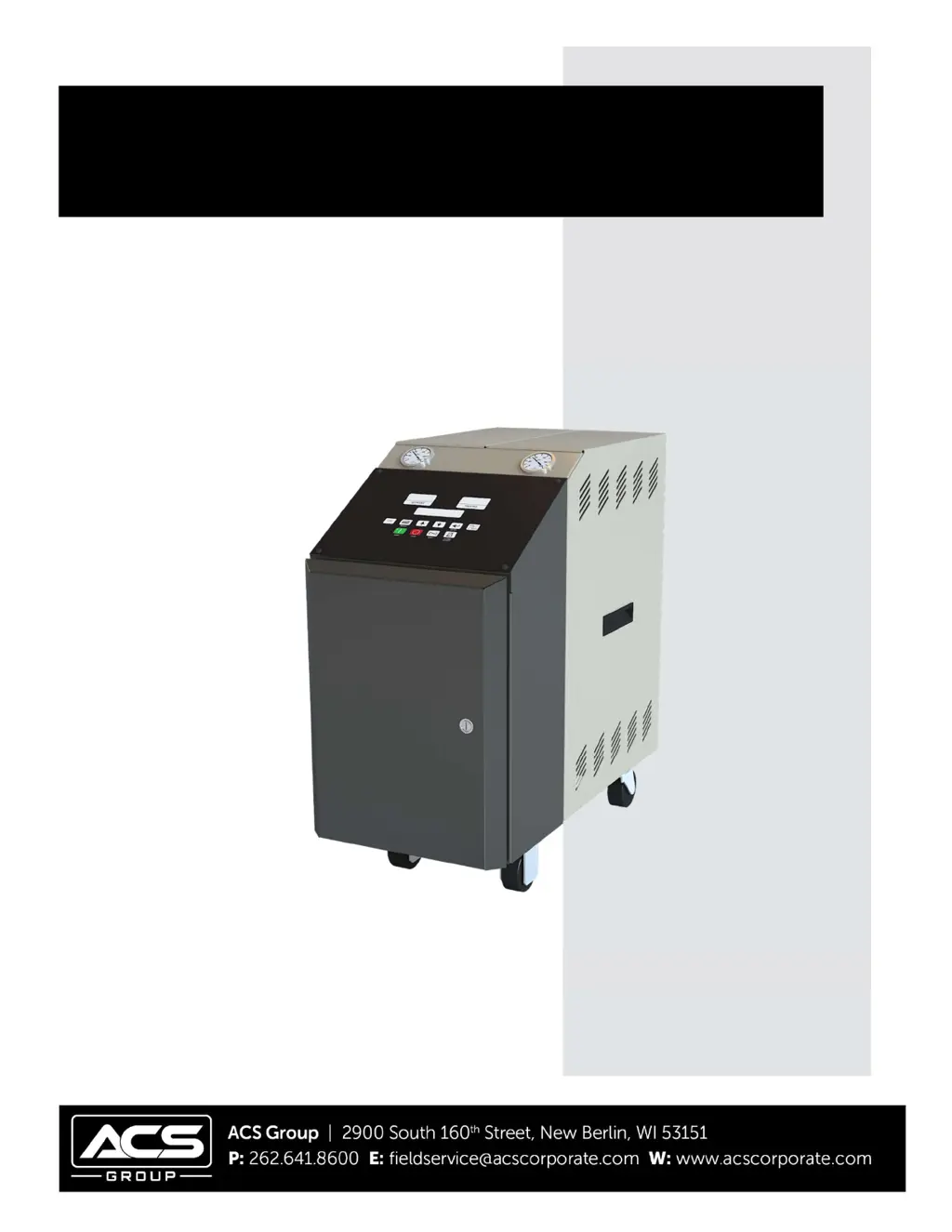
ACS TC 120 - User Manual

ACS TC 120
48 pages
Print Icon
To Next Page IconTo Next Page
Loading...
TC 120 682.98767.00 8/22/2018 1
TC 120 Water Temperature Control Units
Part Number:
682.98767.00
Revision: 10/04/18
OPERATION AND INSTRUCTION MANUAL
TC 120

Table of Contents

Questions and Answers

  • R
    Robert SullivanAug 3, 2025
    What to do if ACS TC 120 does not turn on?
    • T
      Tonya AguirreAug 3, 2025
      If the ACS Control Unit doesn't turn on, there could be several reasons. First, check the main disconnect, fuses, wiring, and the power lead to the unit to ensure there is power. Also verify that the voltage supplied to the unit is within plus or minus 10% of the nameplate rating. Other potential causes include a defective controller (replace it), a blown control circuit fuse (replace it), or a defective control transformer (check the transformer).
  • Z
    Zachary SimmonsAug 7, 2025
    Why ACS Control Unit does not run?
    • M
      Monica TuckerAug 8, 2025
      If the ACS Control Unit does not run, check for low water pressure, ensuring at least 16 psig (110 kPa/1.1 bar) water pressure on WATER IN or CITY WATER MAKEUP. Also, verify that the water supply to the unit is turned on. If the pump overload light is on, reset it and test each leg for balanced amp draws.
  • J
    jruizAug 11, 2025
    What to do if ACS TC 120 Control Unit overheats?
    • G
      george84Aug 11, 2025
      If the ACS Control Unit overheats, it could be due to a defective heater contactor. Visually inspect the coil and contacts and repair or replace defective contactors. Another cause could be a defective immersion heater. Check the resistance on all three legs of the heater with an ohm meter. If the resistance is not equal, contact the factory for a replacement heater.
  • L
    linda29Aug 15, 2025
    What to do if ACS TC 120 runs continuously cooling or heating, and cannot attain set point?
    • S
      Sabrina CastroAug 16, 2025
      If the ACS Control Unit runs continuously cooling or heating, and cannot attain the set point, the unit might be under-sized for the application. Call sales representative.
  • J
    Jeffrey KempAug 20, 2025
    What to do if ACS Control Unit does not heat or cannot achieve set point?
    • R
      Rebecca BoyleAug 20, 2025
      If the ACS Control Unit does not heat or cannot achieve the set point, it could be due to dirty immersion heater elements. Remove the heater and clean the elements. Alternatively, the immersion heater element may be burned out, requiring a replacement.
  • L
    Linda MosesAug 25, 2025
    What to do if the pump is running in reverse in ACS TC 120 Control Unit?
    • M
      Melissa GarciaAug 25, 2025
      To solve the issue of the pump running in reverse in the ACS Control Unit, verify proper rotation. If it is not clockwise, reverse any two incoming power leads.
  • J
    Jack JonesAug 29, 2025
    What to do if ACS Control Unit controller does not cool?
    • M
      Melissa GarciaAug 29, 2025
      If the ACS Control Unit controller does not cool, it may be due to an open cool output relay. Replace the output relay. Another possibility is that the solenoid valve is not operating, but the COOL LED is on. Set the process temperature to minimum and check for magnetism on the solenoid coil top. Check the coil resistance; if it's in the MΩ range, replace the solenoid coil.

Summary

Chapter 1: Safety

How to Use This Manual

Guide to using the manual for installation, operation, and maintenance.

General Safety Regulations

General rules for safe operation and maintenance of the machine.

Responsibility

Outlines operator, owner, and maintenance personnel responsibilities for safety.

Warnings and Precautions

General safety practices and precautions to avoid injury or damage.

Chapter 2: Functional Description

Introduction

Overview of the TC 120 water temperature control units and their capabilities.

Necessary Documents

Lists essential documents for operation, installation, and maintenance.

Models Covered

Identifies the TC 120 and Sterlco TC 120 series models covered by the manual.

Standard TCU Series Features

Details the standard features of the TC 120 temperature control units.

Available Options

Lists optional features and configurations for tailoring the unit to requirements.

Chapter 3: Installation

Installation Location Considerations

Guidelines for selecting an appropriate location for the TC 120 unit.

Process Approach Temperature Considerations

Considerations for controlling low approach applications based on temperature differences.

External Piping Sizing Considerations

Recommendations for sizing external piping to ensure minimum pressure drop.

Piping Considerations for Permanent Installations

Guidelines for piping connections in permanent installations.

Piping Considerations for High Mobility Installations

Specific piping requirements for mobile temperature control systems.

Process Water Considerations

Information on using raw, distilled, and deionized water in the system.

Making Process Water Connections

Detailed instructions for connecting the process water lines.

Making Cooling Water Connections

Instructions for connecting the cooling water supply and return lines.

Making System Purge Connections

How to connect the system for air purging with the System Purge option.

Making Electrical Connections

Essential guidelines and precautions for electrical connections.

Chapter 4: Identifying Controls and Features

Identifying Mechanical Controls and Features

Description and function of various mechanical controls and components.

The Microprocessor Controller

Explanation of the PID microprocessor controller and its display.

Graphic Panel Indicators

Explanation of the indicators on the graphic control panel.

Using Graphic Panel Buttons

Instructions on operating the unit using the buttons on the control panel.

Alarms

Description of audible/visual general fault alarms and their functions.

Controller Internal Switches

Information on controller setup and internal switches.

Chapter 5: Startup and Operation

Introduction

Overview of startup procedures for TC 120 water temperature control units.

Startup Checklist

A checklist to ensure proper installation and readiness for unit startup.

Starting the Temperature Control Unit

Steps for starting the unit and using the Auto-Tune function.

Sequence of Operation

Description of the unit's operational sequence after startup.

Checking Motor Rotation Direction

Procedure to verify correct pump motor rotation direction.

Shutting Down the Temperature Control Unit

Instructions for safely shutting down the temperature control unit.

Chapter 6: Unit Maintenance

Preventative Maintenance

Routine checks and maintenance procedures to ensure unit longevity.

Corrective Maintenance

Troubleshooting and repair procedures for common unit issues.

Electrical Connections

Maintenance and inspection guidelines for electrical connections.

Safety Devices

Procedures for testing and maintaining safety devices.

Cleaning and Storage

Instructions for cleaning and preparing the unit for storage.

Chapter 7: Troubleshooting

Introduction

Guidelines and precautions for troubleshooting the machine and its components.

Chapter 8: Appendix

Customer Satisfaction Warranty Program

Terms and conditions of the product warranty.

Technical Specifications

Detailed technical data, dimensions, and performance specifications.

Drawings and Diagrams

Visual references for piping schematics and unit layout.

Spare Parts List

List of common parts and their part numbers.

Technical Assistance

Contact information for parts support, technical help, and sales.

ACS TC 120 Specifications

General IconGeneral
Supply voltage24 VDC
Operating temperature-20°C to +60°C
Number of inputs8
Protection ClassIP20
Current Rating2 A per channel