USER MANUAL 750000992/16
8-1
Chapter
8
8File management
This chapter describes the following file management functions:
❏ Choosing the storage medium
❏ Storing data
❏ Using stored data (loading traces, copying and deleting a file)
❏ Automatic and manual file naming
❏ Overlaying traces
❏ Formatting a floppy disk
Storage media
For storing and recalling acquisition data MTS
e
is equipped with the following:
• an internal RAM memory or an optional hard disk
• an optional high density (HD) MS-DOS compatible 3.5” floppy disk drive.
Selecting the storage location
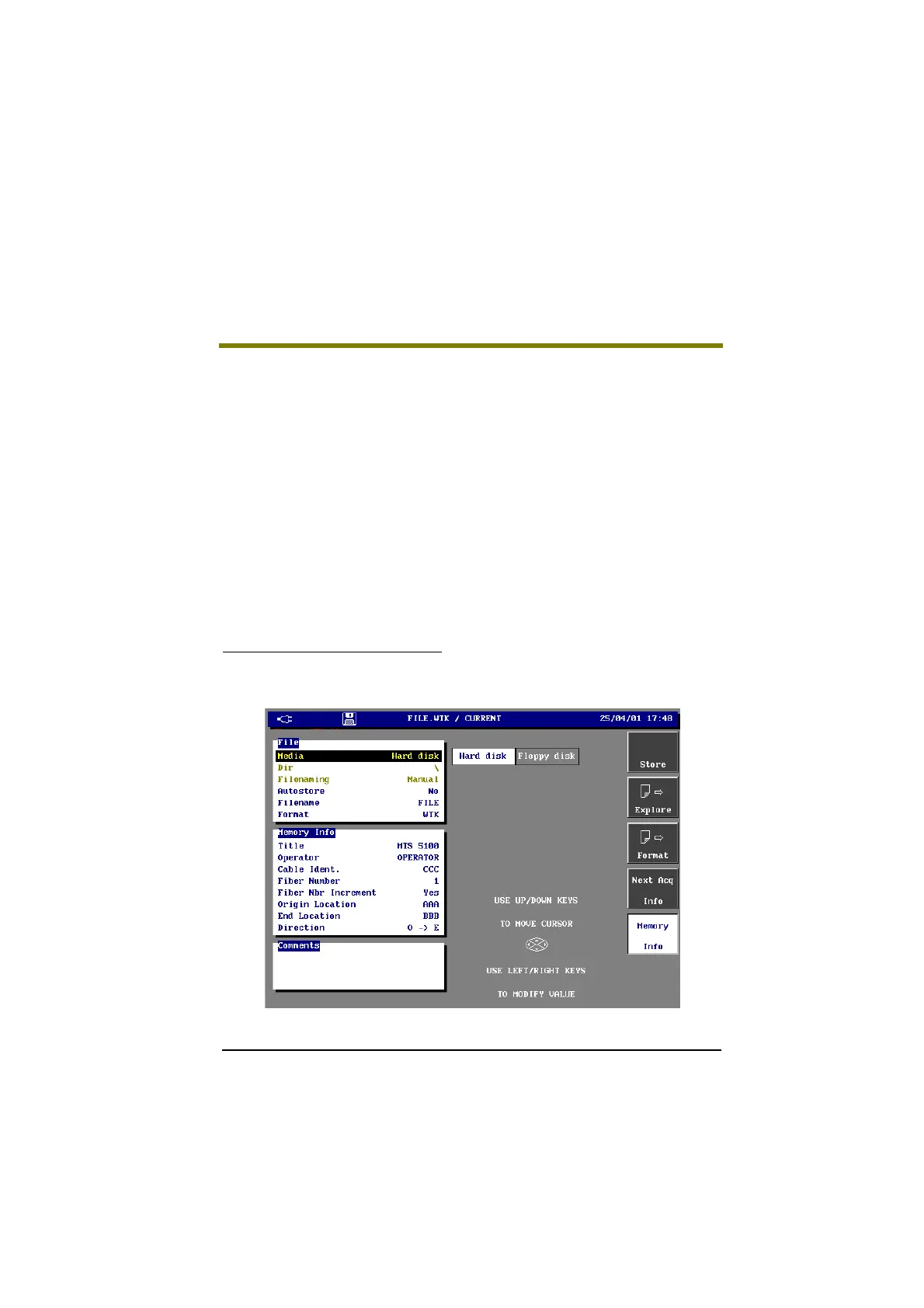
• Press the FILE key.
The File manager window appears.
File Manager Window (example with OTDR module)
Artisan Technology Group - Quality Instrumentation ... Guaranteed | (888) 88-SOURCE | www.artisantg.com



 To Next Page