KCM-3911 Hardware User’s Manual
9
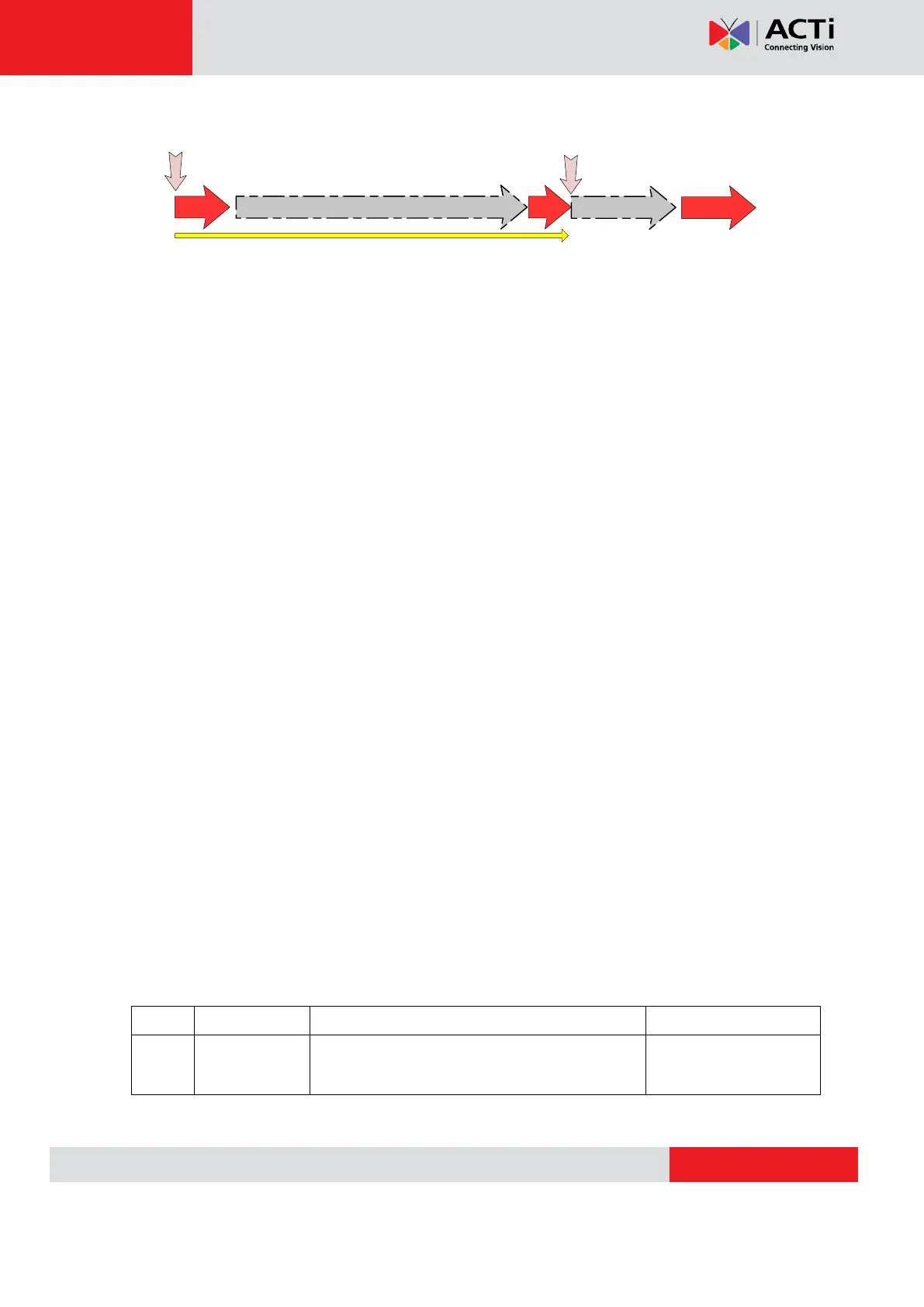
On (3s)
On
1s
Power On
About 20 Seconds
Stay On
Off (about 15s)
Off (10~15s)
Restore to Default
Complete
2) Micro SD / Micro SDHC Card Slot*
Insert your Micro SD card here for local recording on camera
3) Power LED
This LED light will indicate current camera status.
4) Audio Input / Output
The IP device supports audio input and output via terminal block
5) Ethernet Port
The IP device connects to the Ethernet via a standard RJ45 connector. Supporting NWAY, this
IP device can auto detect the speed of local network segment (10Base-T/100Base-TX
Ethernet).
6) Digital Input / Output
Used in applications like motion detection, event triggering, time lapse recording, alarm
notifications, etc., the I/O terminal connector provides the interface to:
•2 transistor output - For connecting external devices such as relays and LEDs. Connected
devices can be activated by Output buttons on the Live View page or through video
management software. Connect Pin 2 with 4 or 6 with 8.
•2 Digital Input - An alarm input for connecting devices that can toggle between an open and
closed circuit, for example: PIRs, door/window contacts, glass break detectors, etc. The device
will detect the change in digital input and transmit the signal to video surveillance servers.
Ground. Connect with Pin 3 for DI control loop.
Provides power to external devices with a
maximum current of 100mA.
Voltage: 12V DC,
Max: 1.2W
VoIPon www.voipon.co.uk sales@voipon.co.uk Tel: +44 (0)1245 808195 Fax: +44 (0)1245 808299


 To Next Page