www.theactigraph.com
P a g e | 22
49 E. Chase St. Pensacola, FL 32502 tel 850.332-7900 fax 850-332-7904
3) 4)
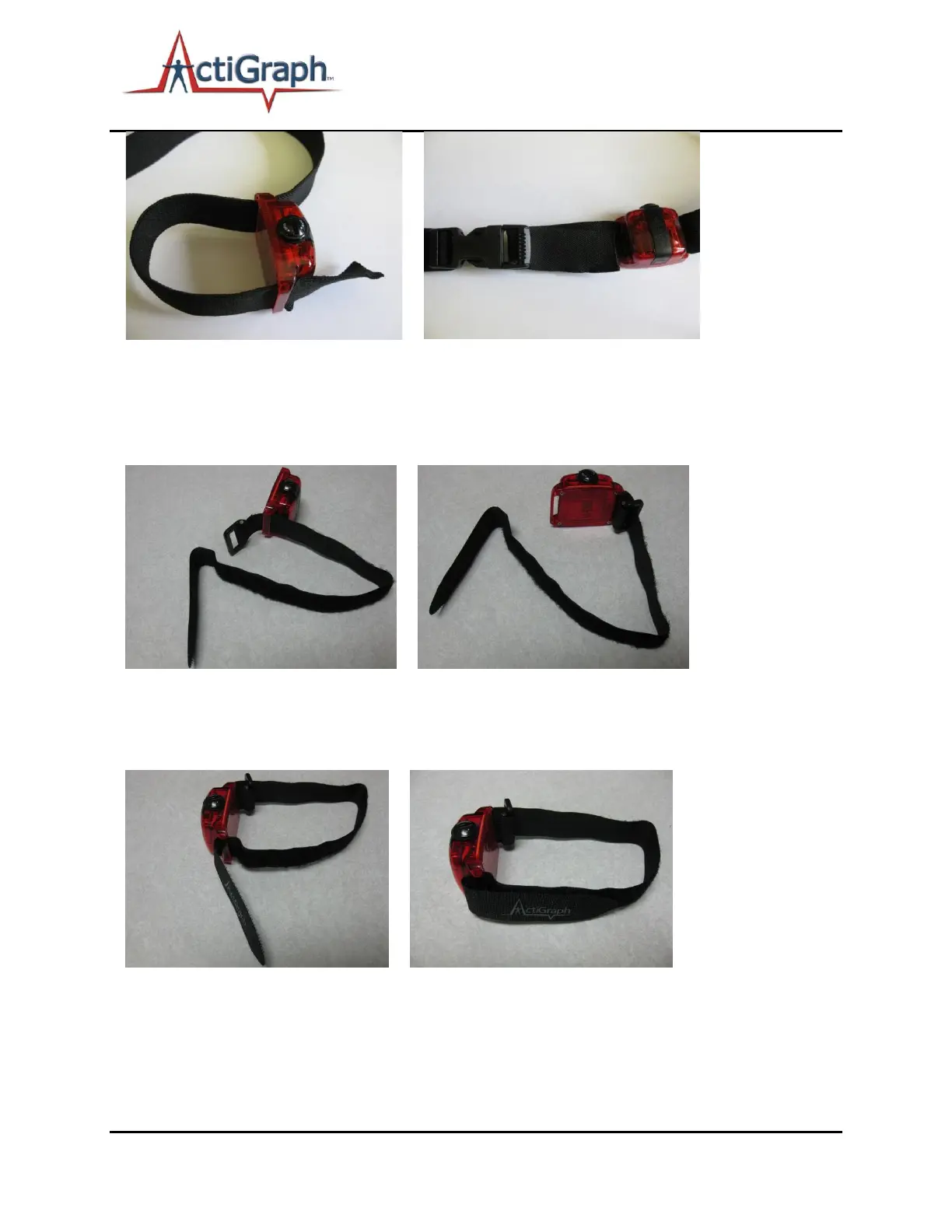
Step 3) From the bottom, insert strap into the other loop hole and pull through
Step 4) Reconnect the plastic trident to the strap and connect to plastic female end to secure waist belt
Wrist Strap
1) 2)
Step 1) Wrist strap opened and fed through the bottom of one loop hole on the device
Step 2) Insert the strap through the D-ring and synch down
3) 4)
Step 3) Insert strap into the other loop hole from the bottom of the device
Step 4) Insert wrist inside the strap and tighten the strap down as necessary to keep the device from
moving but also for comfort


 To Next Page