ENGLISH
➊
➋
➌
➍
➎
➏
➐
➑
➒
➊
➋
➌
➍
➎
➏
➐
➑
➒
➓
➓
2. Button description
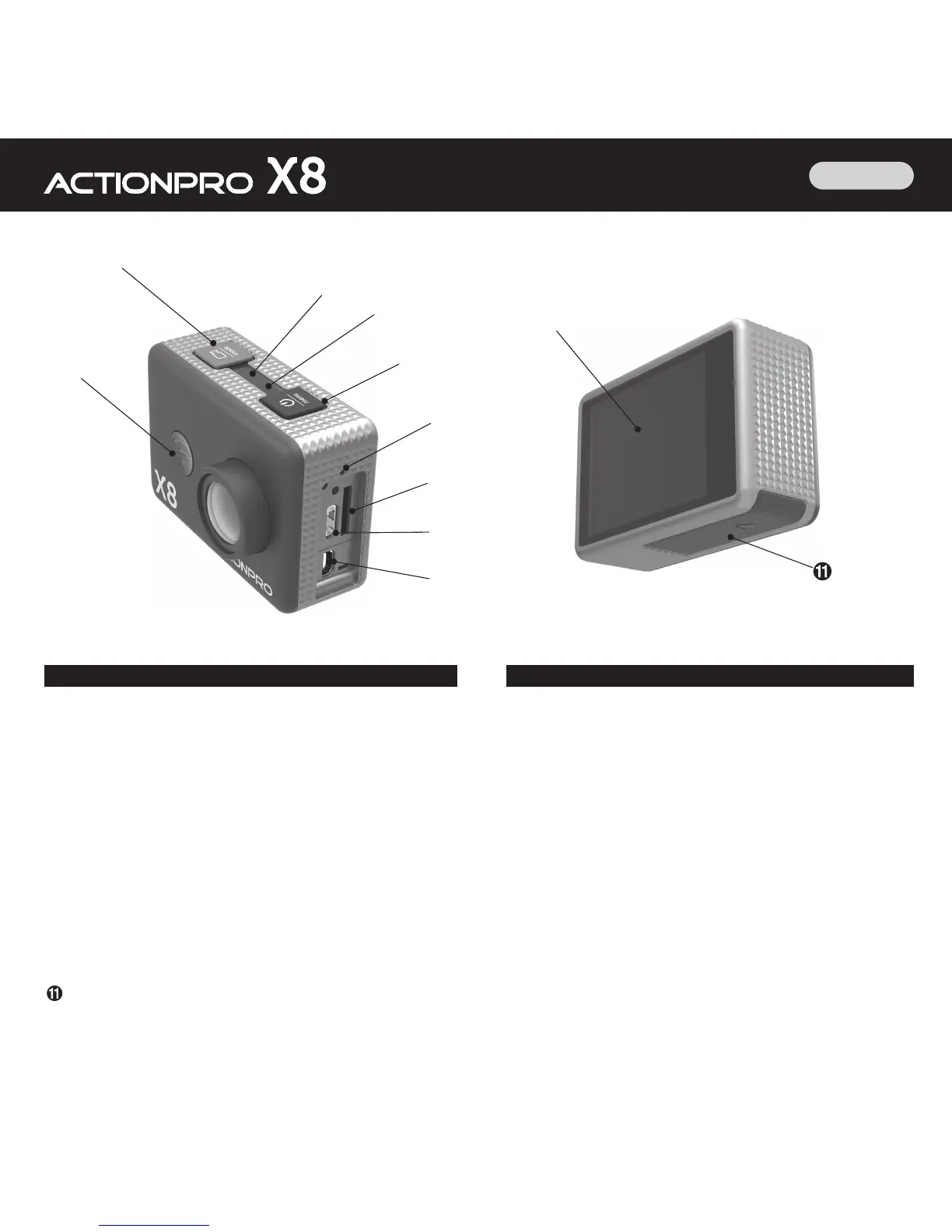
1. X8 Product overview
ON/OFF, setup menu
Record start/stop, shutter, mode, menu confirmation
WiFi ON/OFF, menu selection
Blue LED, operation indicator
Red LED, charging indicator
Microphone
SD card slot, MicroSD Class10, up to 32GB
Micro USB connector for charging and file transfer
Micro HDMI connector
LCD screen
Battery compartment
➊
ON/OFF, Menu
Long press for switching on or off.
Short press to enter or leave the menu.
➋
Record start/stop, shutter, mode, menu confirmation
Short press to start or stop recording.
Long press to switch between operation modes: Video/Photo/
Playback.
Within menu, short press to confirm your choice, or long press
to switch to second menu level.
➌
WiFi ON/OFF, menu selection
Short press to switch WiFi on or off.
Within menu, short press to switch to next entry or to change
a setting value (e.g. current date).



 To Next Page