10 of 27
Acuity Brands | One Lithonia Way Conyers, GA 30012 Phone: 800.535.2465 www.acuitycontrols.com © 2014-2015 Acuity Brands Lighting, Inc. All rights reserved. 08/17/15
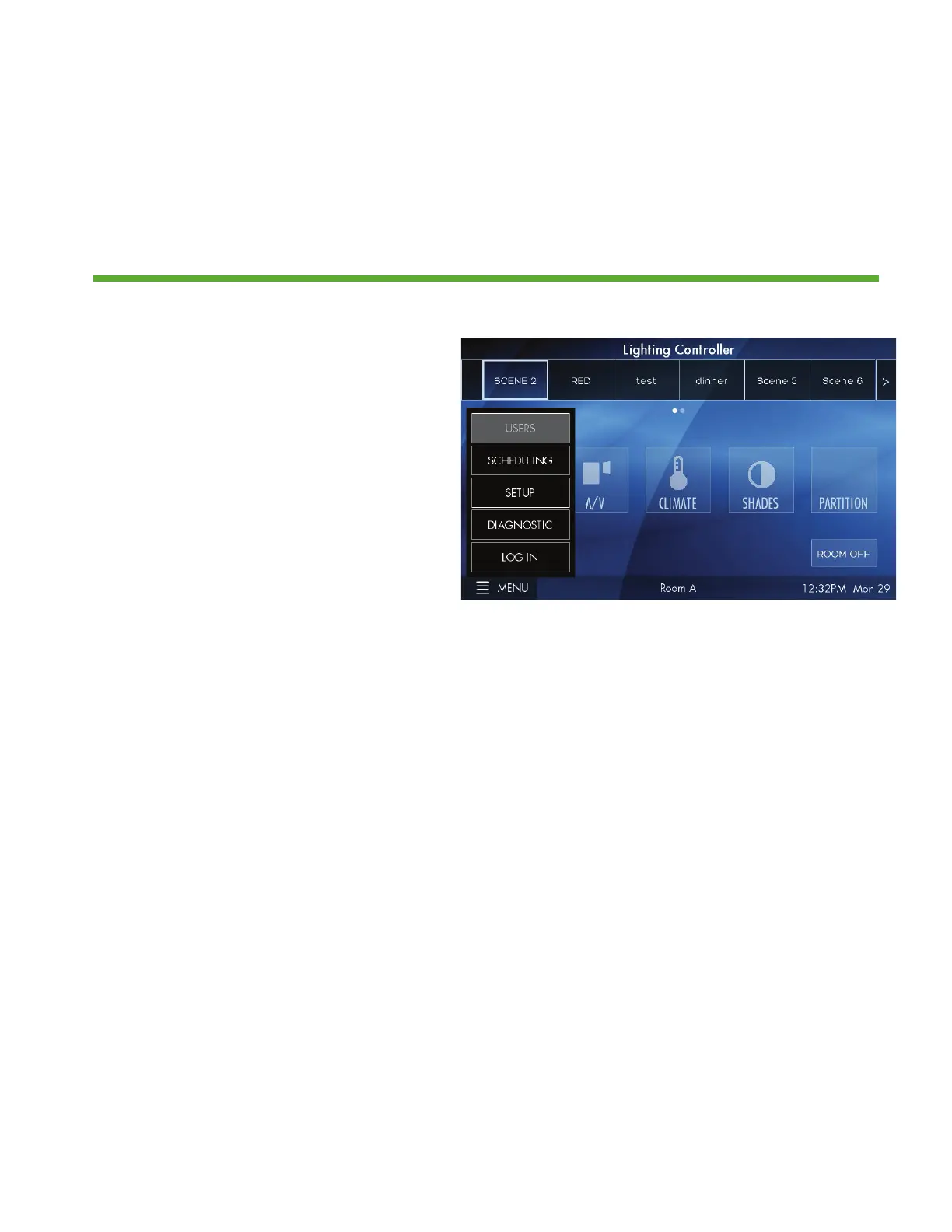
Menu > Scheduling and Diagnostic
Overview
Scheduling stores system timeclock control and scheduled lighting events.
Diagnostic accesses system technical data that is used for troubleshooting
system performance
1. Setting up SCHEDULING from the
station is not currently supported. All
schedules must be imported using
the Fresco Studio PC tool
2. DIAGNOSITC is only needed
for reference when needing to
troubleshoot system performance


 To Next Page