12 of 27
Acuity Brands | One Lithonia Way Conyers, GA 30012 Phone: 800.535.2465 www.acuitycontrols.com © 2014-2015 Acuity Brands Lighting, Inc. All rights reserved. 08/17/15
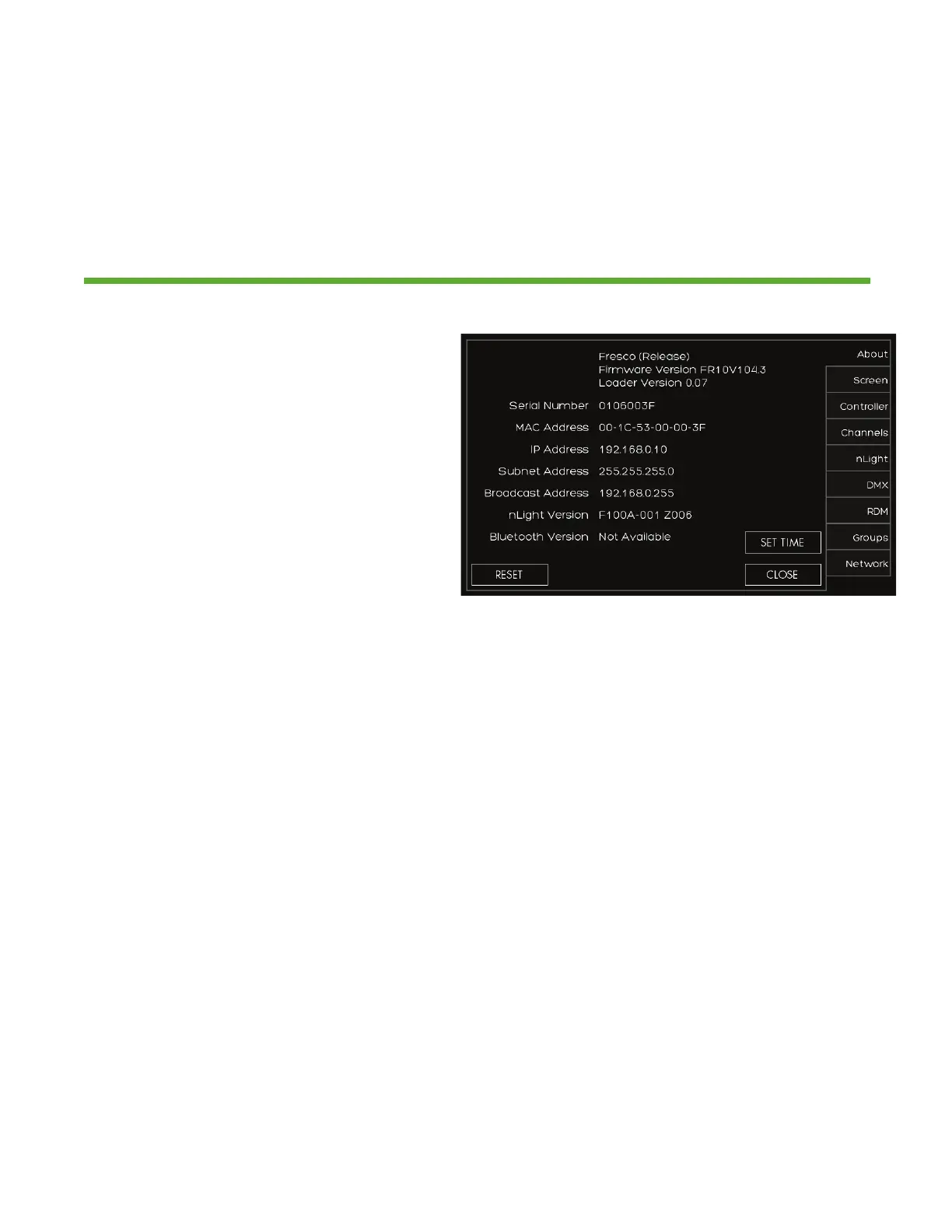
Setup > About
Overview
System information including device serial number, operating firmware,
network settings, and system reset
1. Fresco firmware version
2. Station serial number
3. Network/IP settings
4. nLight firmware version
5. SET TIME sets date and time for
station
6. RESET is for system reboot which
does not erase any stored system
data


 To Next Page