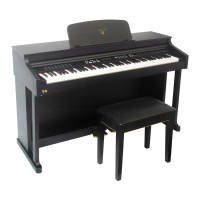
DIGITAL PIANO
7
11.Metronome and Tempo
Press [METRONOME] button, you can turn on or off metronome function. When this
function is on, you can select beat type by holding the [METRONOME] button until the
beat type appear on the LCD, then using the [TEMPO+/-] buttons to set it.
Press [TEMPO+/-] button, you can adjust the speed from 20 to 280b/s. Press these two
buttons at the same time, the speed return to 120b/s.
Beat types include :1/4time, 2/4time, 3/4time, 4/4time, 6/4time, 6/8time, 12/8time
12.Transpose
This TRANSPOSE function makes it possible to shift the pitch of this instrument up or
down in semitone intervals up to a maximum of 12 semitones(one octave). Transposing
the pitch of your instrument keyboard makes it easier to play a difficult key signatures,
and you can easily match the pitch of the keyboard to the range of a singer or other
instrumentlist.
Using [TRANSPOSE+/-] buttons to change the transpose value from G - #F.
TT
EE
MM
PP
OO
METRONOME METRONOME
MULTI DISPLAY MULTI DISPLAY
TT
EE
MM
PP
OO
TT
RR
AA
NN
SS
LAYER VOLUME LAYER VOLUME
MULTI DISPLAY MULTI DISPLAY


 To Next Page
 Loading...