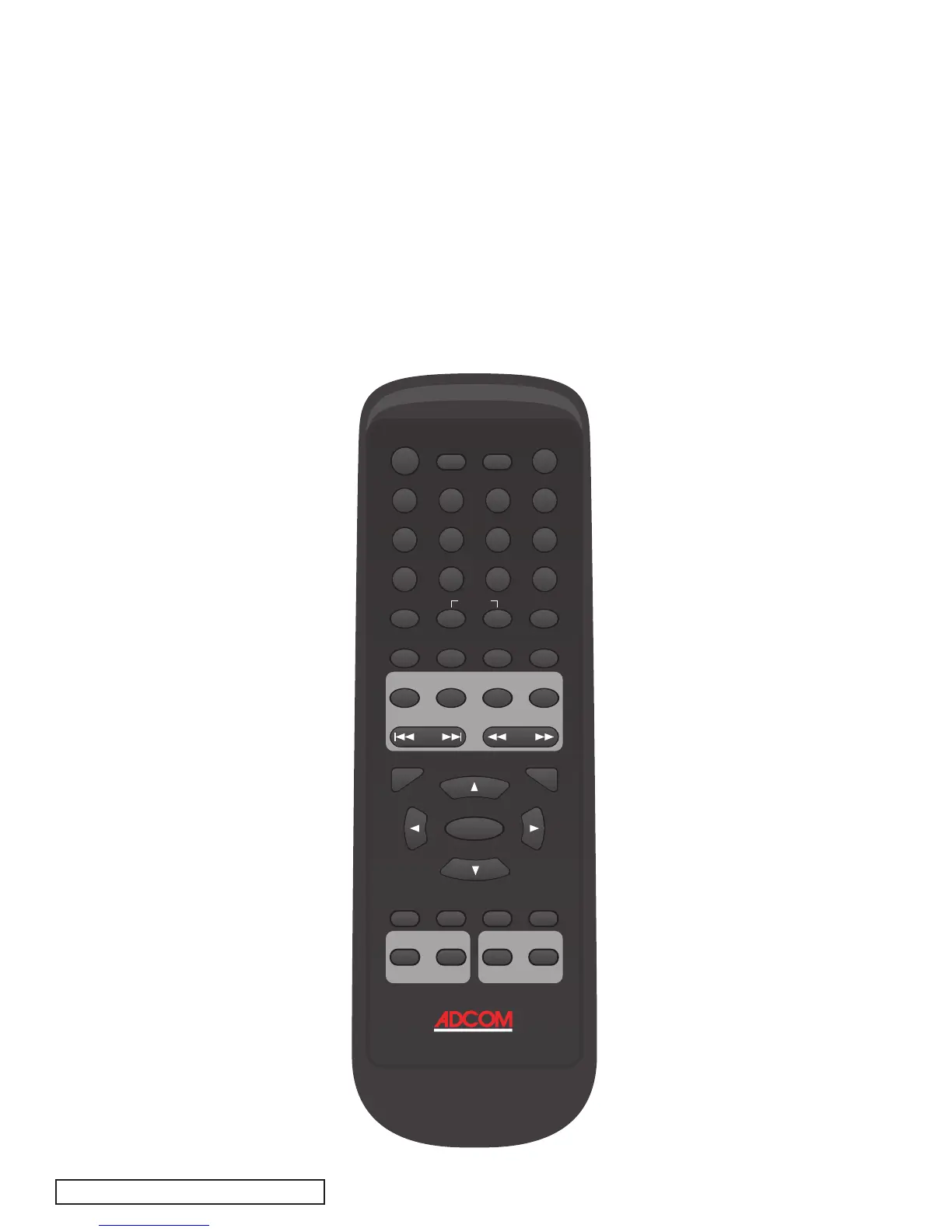
| ADCOM GDV-850 Owner’s Manual14
15ADCOM GDV-850 Owner’s Manual |
[
36
]
Mute Button
The mute button mutes the audio out-
puts of the DVD player. Pressing this
button again unmutes the signal and
restores level.
[
37
]
Video Off Button
Pressing the vid. off button will mute
the video output on any of your output
connections. Pressing this button again
will unmute the video feed. Note this
button will not pause the playback of
your media.
[
38
]
Display Button
Pressing the display button presents
status information at the top of your
display. The first time the button is
pressed the current title, chapter
and time are displayed. If the display
button is pressed repeatedly the fol-
lowing information will be presented
respectively: remaining time in title;
how much time has passed in the
current chapter; how much time is
remaining in the current chapter; and
finally normal uninterrupted playback
will resume.
[
39
]
Stop Button
Press the STOP button to stop a disc that
is playing. If playback is restarted after
one press of the STOP button, the disc
will resume playing from the current
position on the disc. Press the STOP but-
ton twice to cancel the resume feature.
Subsequent play will restart from the
beginning of the disc. Playback will also
stop when the DVD POWER button on
the remote is pressed.
[
40
]
Slow Button
The slow button, when pressed,
modifies the rate of playback of any
active media. Both audio and video
are affected. Pressing this button
cycles through the following options:
SF: Slow Forward, SR: Slow Reverse
SF 2X, SF 4X, SF 8X, SR 2X, SR 4X, SR
8X, the last option returns to normal
playback mode.
[
41
]
Pause/Step Button
Press the PAUSE button to temporarily
suspend play or to advance the still
picture frame by frame after playback
is paused.
[
42
]
Play Button
Press the PLAY/ENTER button to start
playing the disc from the beginning or
to resume play if playback is paused or
to return to normal play from any of
the slow motion or fast play modes. If
in standby mode, pressing the button
activates the unit.
[
43
] / [
44
]
Prev (Previous)
& Next Buttons
These buttons are used to navigate
forward and backwards throughout the
available chapters or tracks of a disc.
Their exact function is dependent upon
the format and mastering of the disc you
are playing.
[45] Rev (Reverse) Button
Pressing this button once will reverse
through current media being played,
presenting any video and audio at an
advanced rate. Pressing this button
again will change the rate of playback.
Use this same button to resume normal
playback.
[46] Fwd (Forward) Button
Pressing this button once will advance
through current media being played,
presenting any video and audio at an
advanced rate. Pressing this button
again will change the rate of play-
back. Use this same button to resume
normal playback.
[47] Title Button
The title button activates the sub-
menu for the current title. The func-
tion of this button is dependent on the
format and mastering of each disc. On
some discs, the title button will call
the same menu as the menu button or
it may do nothing at all.
select
A-B1/all
C1 2 3
4 5
6
7 8 9 0
+
10
subtitle
title
stop slow pause/step play
audio mute vid
. off display
PBC repeat go to
power
setup format
eject
clear
menu
video output dig audio out
zoom angle resume
RGB compnt off on
prev next rev fwd
G R C - 8 1 5



 To Next Page