35
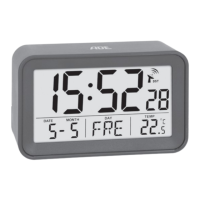
CK 2306 DCF radio-controlled alarm clock
English
Setting the time manually
If there is more than
approx. 30 seconds between two
pushes of a button, the setting
process automatically ends and
you will have to repeat it.
Each push of a button is confirmed
with a beep.
1. Press and hold the
button until the indicator
for the 12 and 24 hour time format flashes in
the display.
2. Use the
or buttons to select the desired
time format (“12H” or “24H”).
3. Press
to save the setting. "00" flashes in the
display for the time zone you are in ("00" is the
default setting for the European mainland).
4. Proceed as described:
− Press the
or button to set the desired
value.
− Press
each time to save a setting.
5. Perform the following settings one after the
other:
− Hours
− Minutes
− Year
− Month
− Day


 To Next Page