EasyManua.ls Logo

ADEQWAT KM-20-SF - User Manual

ADEQWAT KM-20-SF
21 pages
Print Icon
To Next Page IconTo Next Page
Loading...
Clavier & Souris sans fil
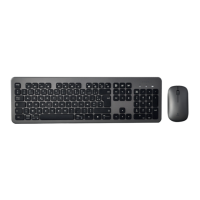
Wireless Keyboard and Mouse
Teclado y ratón inalámbricos
Kabellose Tastatur & Maus
Draadloos toetsenbord &
draadloze muis
KM-20-SF
NOTICE D’UTILISATION
USER GUIDE
INSTRUCCIONES DE USO
BEDIENUNGSANLEITUNG
GEBRUIKSAANWIJZING
Question and Answer IconNeed help?

Do you have a question about the ADEQWAT KM-20-SF and is the answer not in the manual?

Summary

Usage Instructions

General Safety Guidelines

General safety and usage guidelines.

RSI Syndrome Prevention

Information on Repetitive Strain Injury (RSI) and prevention.

Battery Recycling

Battery recycling instructions.

Product Details

Contents of the Box

List of items included in the product packaging.

Minimum System Requirements

System requirements for using the product.

Material Description

Description of the wireless keyboard and mouse.

Installation and Usage

Battery Installation

Instructions for installing batteries in the mouse and keyboard.

Connecting Peripherals to Computer

How to connect the wireless peripherals to a computer.

Keyboard Usage

How to use the multimedia keys on the keyboard.

Safety and Compliance

General Safety Instructions

General safety and usage guidelines.

Battery Recycling Instructions

Battery recycling instructions.

Electronic Equipment Precautions

Precautions for electronic equipment and interference.

Your Product (English)

RSI Syndrome

Information on Repetitive Strain Injury (RSI) and prevention.

Contents of the Box

List of items included in the product packaging.

Minimum Required Configuration

System requirements for using the product.

Technical Specifications

Technical specifications of the product.

Keyboard and Mouse Features

Key features of the keyboard and mouse.

Equipment Description and Installation

Wireless Keyboard and Mouse Description

Detailed description of the wireless keyboard and mouse.

Battery Installation

Instructions for installing batteries in the mouse and keyboard.

Connecting Peripherals

Connecting the USB receiver to the computer.

Device Usage and Compliance

Using the Devices

How to use the multimedia keys on the keyboard.

Simplified EU Declaration of Conformity

EU declaration of conformity.

ADEQWAT KM-20-SF Specifications

General IconGeneral
BrandADEQWAT
ModelKM-20-SF
CategoryKeyboard
LanguageEnglish