2.3 For Windows ME and 98SE
Step1: Turn off your PC
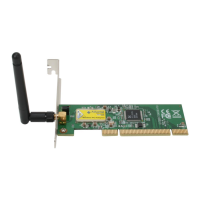
Step2: Insert the Wireless PCI card into the PCI slot of your computer, the system will
automatically find the device and search for its driver. Please click Cancel to continue.
Step3: Insert Wireless 54Mbps PCI Adapter Installation CD into CD-ROM drive then windows
below will appear. Click Install Driver & Utility to begin device driver installation.


 To Next Page
 Loading...