16
Switching the Oven On and Off
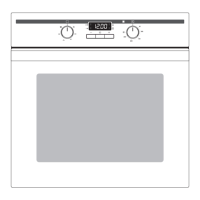
0 1. Turn the "oven functions“ switch to set the required function.
2. Turn the "temperature selection“ switch to set the required tempera-
ture.
The yellow oven power indicator comes on as soon as the oven or rings
are switched on.
The red temperature pilot light comes on when the oven is heating up
and goes out once the set temperature has been reached.
3. To switch the oven off turn the "oven functions“ switch and the "tem-
perature selection“ switch back to zero.



 To Next Page
 Loading...