EN -15-
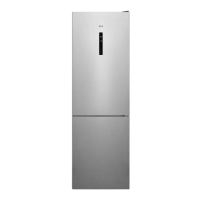
Display and Control Panel
Using the Control Panel
1. Enables the setting of the freezer.
2. Enables the setting of the cooler.
3. Freezer set value screen.
4. Cooler set value screen.
5. Economy mode symbol.
6. Super freeze symbol.
7. Alarm symbol.
Operating your Fridge Freezer
High temperature alarm [for selected models only]
The alarm goes o when you plug the appliance for the rst time.
Refrigerator compartment
The alarm goes o when the refrigerator's temperature is higher than 10°C.
During the alarm:
• the display shows blinking E10 error code,
• the alarm indicator flashes,
• the acoustic alarm beeps.
Freezer compartment
The alarm goes o when the freezer's temperature is higher than -9°C.
During the alarm:
• the display shows blinking E09 error code,
• the alarm indicator flashes,
• the acoustic alarm beeps.
Turning o the alarm
• Press any key on the control panel to turn off the alarm. The maximum temperature
reached by the compartment appears on the display and the alarm indicator flashes
until the temperature is restored.
• Alarm beeping turns off automatically after 1 hour. Alarm indicator blinks and error code
remains on the display.
• If the appliance is back to the set temperature, the alarm turns off and the normal display
restores. Check if the food inside is not spoiled or thawed. If yes, refer to the "Thawing"
section.
Refer to the "Temperature regulation" section to set the each compartment's
temperature.
Lighting (If available)
When the product is plugged in for the rst time, the interior lights may turn on 1 minute
late due to opening tests.
1 2
3 5 6 7 4


 To Next Page
 Loading...