aeno.com/documents 9
parameters of the electricity supply. Use the device with dry hands only. Make
sure that the power cord does not get twisted, bent or pressed by anything,
and does not come into contact with hot objects or heat sources. Do not use a
device that is damaged or has previously fallen into water. Do not disassemble
or repair the device yourself. Repairs must be performed by a qualified service
technician of a service centre. Use the device in a well-ventilated area away
from flammable objects. Do not place the grill under wall cabinets and/or
shelves or near indoor plants. Use caution when handling a hot device. Open
and close the grill only by using the lid handle. Turn and remove food only with
non-sharp, heat-resistant kitchen tools (spatula, tongs). Do not leave the device
that has been turned on unattended. Small characteristic crackles and clicks
during heating are not a defect of the device. Do not wash the grill in the
dishwasher or under running water. Do not use chemical or aggressive
detergents, abrasive pastes, acids, solvents, or metal sponges for cleaning. Do
not allow children to use and/or play with the device. For detailed information,
see full user manual available for download at aeno.com/documents.
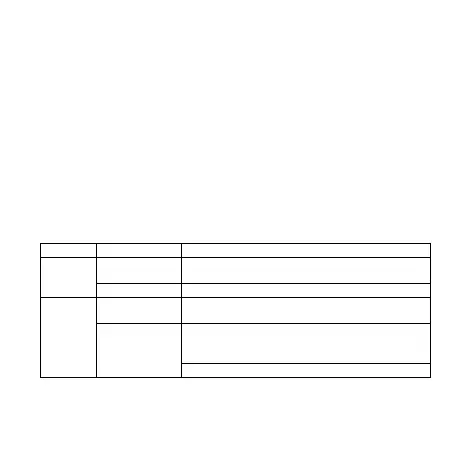
LED Indicators Statuses
indicator
indicator is on
Device is connected to the electricity supply
Device is not connected to the electricity supply
indicator
is on
connected to the electricity supply,
heating is in progress *
Device is connected to the electricity supply, the
set temperature of the cooking plate has been
reached, heating is paused
Device is not connected to the electricity
* Turning the heating on and off is accompanied by a characteristic click.
Before First Use
1. Open the packaging and remove the device. Remove all packaging


 To Next Page