
 Need help?
Do you have a question about the Aerian AAC2300 and is the answer not in the manual?
Illustrates safety warnings and cautions related to fire risk and general appliance handling.
Highlights critical safety advice regarding appliance placement and avoiding ignition sources.
Specifies room area requirements and ventilation for appliance installation.
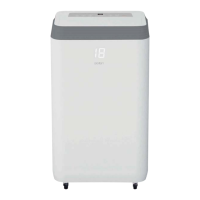
Diagrams showing the front and side components of the air conditioner.
Diagram illustrating the rear components and exhaust connection.
Lists and illustrates the included accessories for the air conditioner.
Diagram of the appliance's main control panel with labeled buttons.
Details the functions of buttons on the appliance's control panel.
Explains the meaning of various indicator lights on the appliance.
Details the functions of buttons on the remote control.
Step-by-step guide for connecting the exhaust hose to the unit.
Instructions for fitting the exhaust hose assembly to a window.
Procedure for powering the air conditioner on and off.
Explains how to choose between different operating modes.
Guide on adjusting the desired temperature for operation.
Instructions for selecting the fan speed.
Details on programming the appliance's timer functions.
Information on using the sleep mode for quiet operation.
How to activate and stop the swing function of the louvers.
Explains the device's protection mechanisms and trip conditions.
Instructions for emptying the internal water tank.
Steps for cleaning the exterior of the appliance.
Procedure for removing and cleaning the air filters.
Guidelines for storing the appliance when not in use.
Table detailing common issues, their possible causes, and solutions.
List of error codes displayed by the unit and their corresponding meanings.
Summary of product specifications including model and energy efficiency.
Details the energy efficiency rating of the appliance.
Specifies the cooling capacity of the unit.
Information on the global warming potential of the refrigerant used.
 General
| Brand | Aerian |
|---|---|
| Model | AAC2300 |
| Category | Air Conditioner |
| Language | English |

 To Next Page