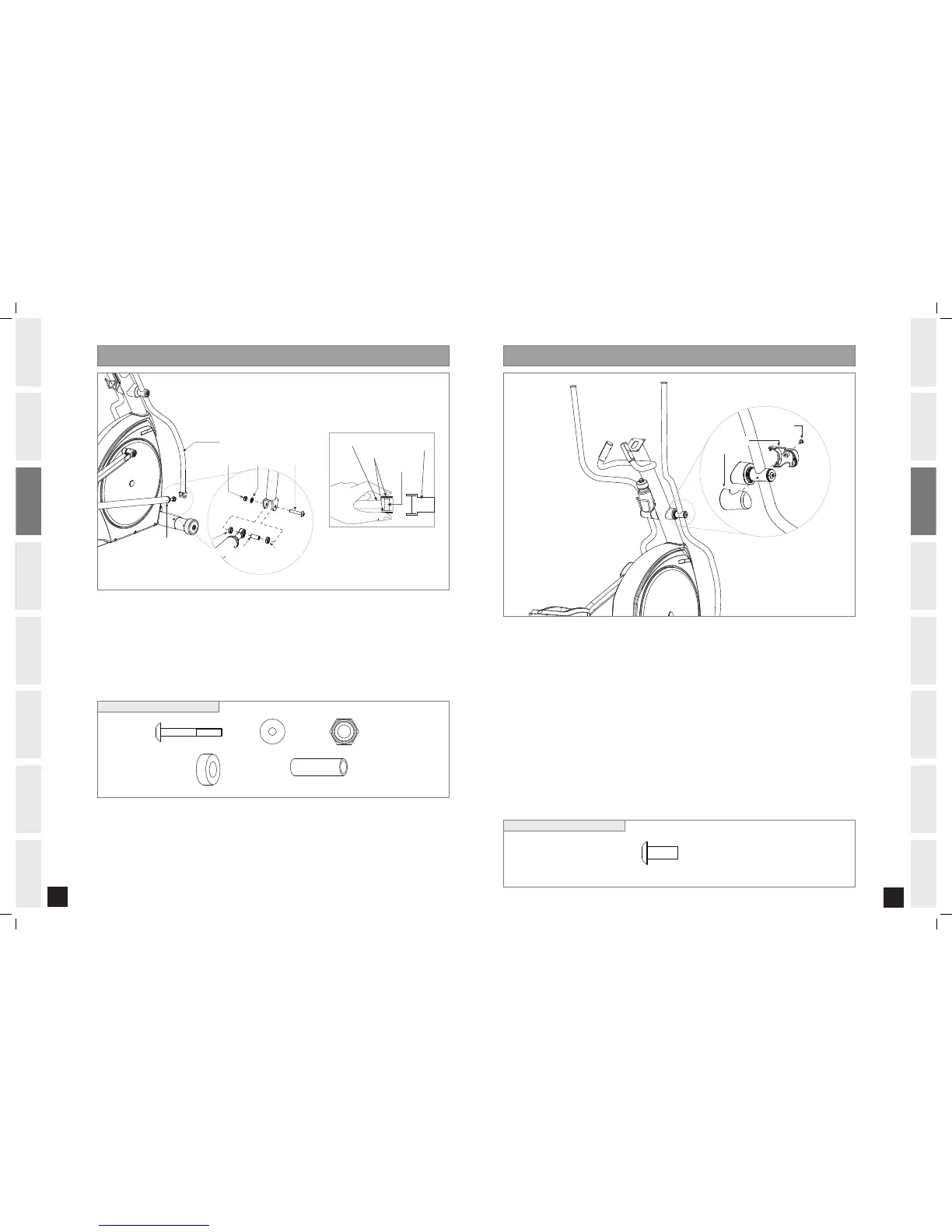
HARDWARE BAG FOR STEP 5 CONTENTS :
A) Open HARDWARE BAG FOR STEP 5.
B) Slide SPACER into LOWER LINK ARM.
C) Place SPACER RINGS on both sides of the SPACER. While holding SPACER RINGS, slide LOWER LINK ARM
into bottom end of LOWER HANDLEBAR.
D) Insert 1 BOLT (P) into LOWER HANDLEBAR and secure using 1 WASHER (Q) and 1 NUT (R).
E) Repeat on other side.
A) Open HARDWARE BAG FOR STEP 6.
B) Snap HANDLEBAR COVERS together over the RIGHT HANDLEBAR. Note the position of the snap tabs on the
covers before snapping into position.
C) Attach HANDLEBAR COVERS with 1 BOLT (S).
D) Repeat on other side.


 To Next Page