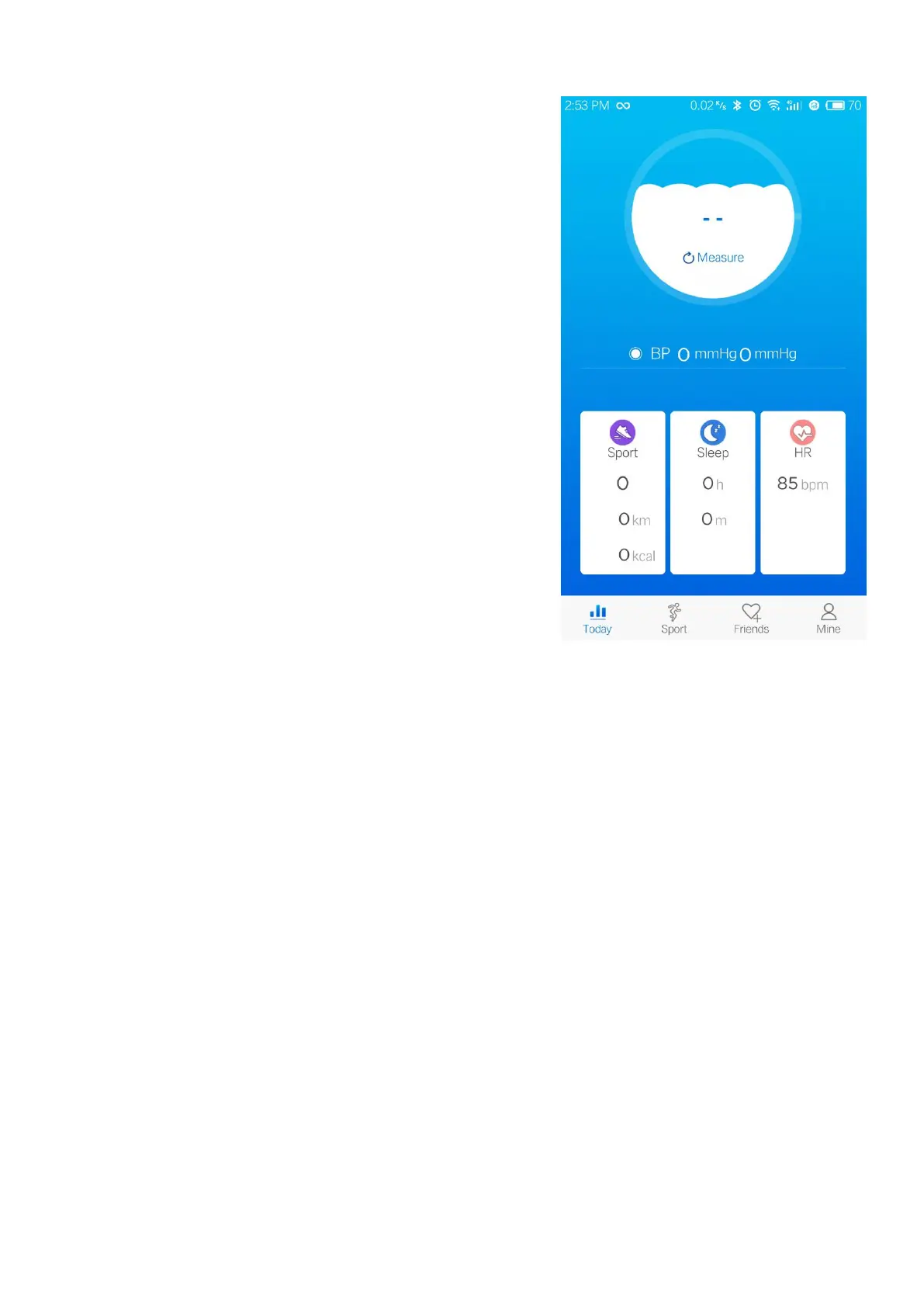
The circle represents the number of walking
The middle of circle represents the heart rate test
The bottom part represents blood pressure test
Sport: Daily walking data report.
Sleep: Daily sleep data report.
HR(Heart Rate): Every heart rate test report.
a. Click on the blood pressure icon, you can see
the previously tested blood pressure data;
b. Click the Sport/ Sleep/ HR interface, you can
view the previous corresponding data report.
c. Sleep detection: The tracker starts data
detection between 22:00-8:00 (on default). When
the tracker is not connected to the mobile phone, the tracker data will only be
Click on the sports interface to enter the GPS, you can check the running path
Search by nickname/ mailbox, you can find friends who also use the APGTEK
Nickname/ Height/ Weight/ Birthday/ Gender/ Wearing style/ Measurement
standard/ Map type/ Security settings (set password)


 To Next Page
 Loading...