15
3 - Camera Configuration
3 - Configuración de la Cámara
Option 2 - Wired Network Configuration:
Opción 2 - Configuración de la Red Cableada:
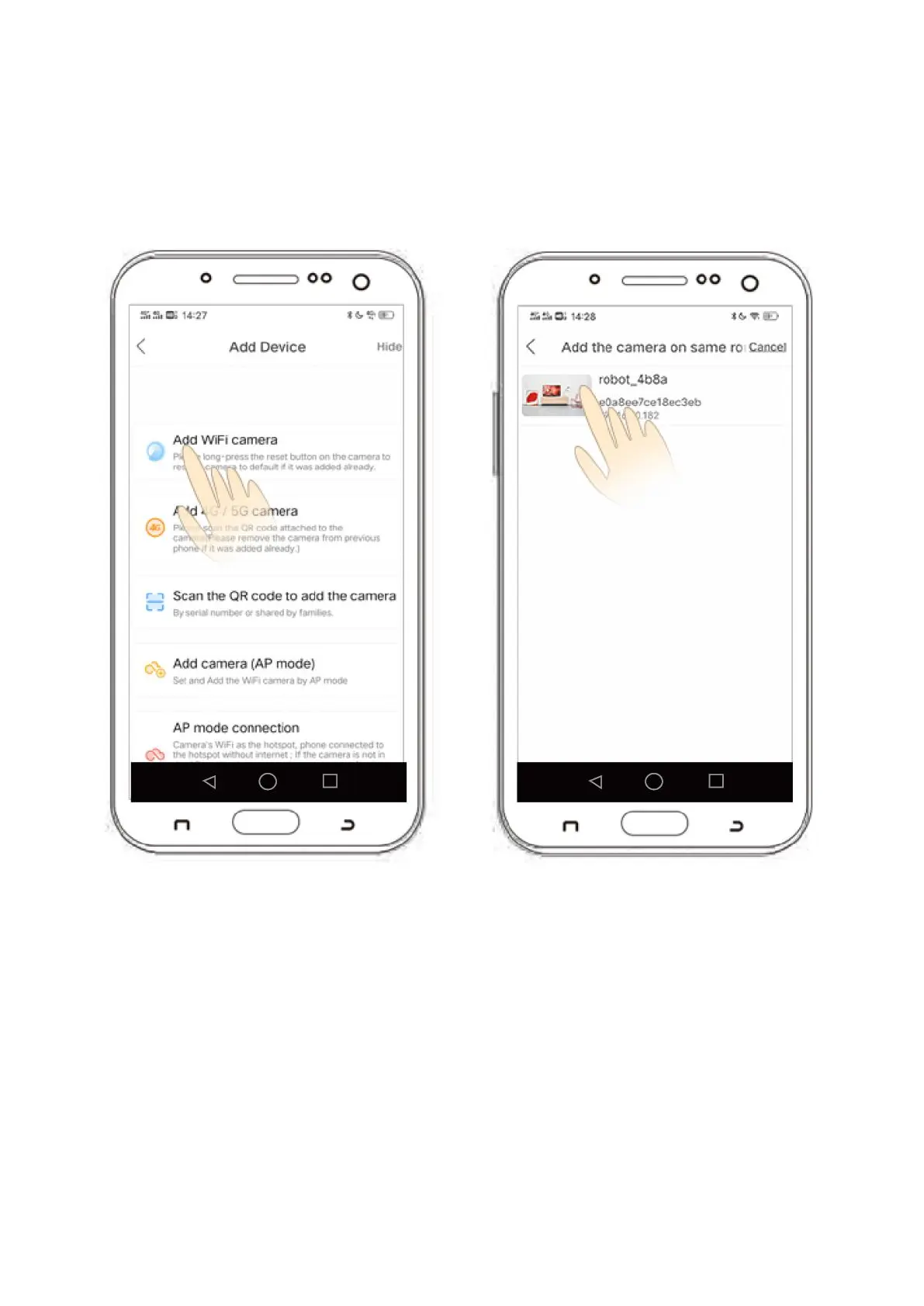
1) After logging in, click the '+' icon in the top right hand corner of your device. Select the
third option Add device in the same WI_AN'.
1) Después de loguear, cliquee el icono “+” en la esquina superior derecha de su
dispositivo. Seleccione la tercera opción “Add device in the same WI_AN”.
2) Click 'Device Searching Interface' then click 'xmjp_bullet_****'.
2) Cliquee “Device Searching Interface”, entonces haga clic en “xmjp_bullet_****”.
3) The camera will now show as 'online' which indicates the connection was successful.
3) La cámara se mostrará ahora como “online”, que indica que la conexión fue
exitosa.


 To Next Page