15
3 - Camera Configuration
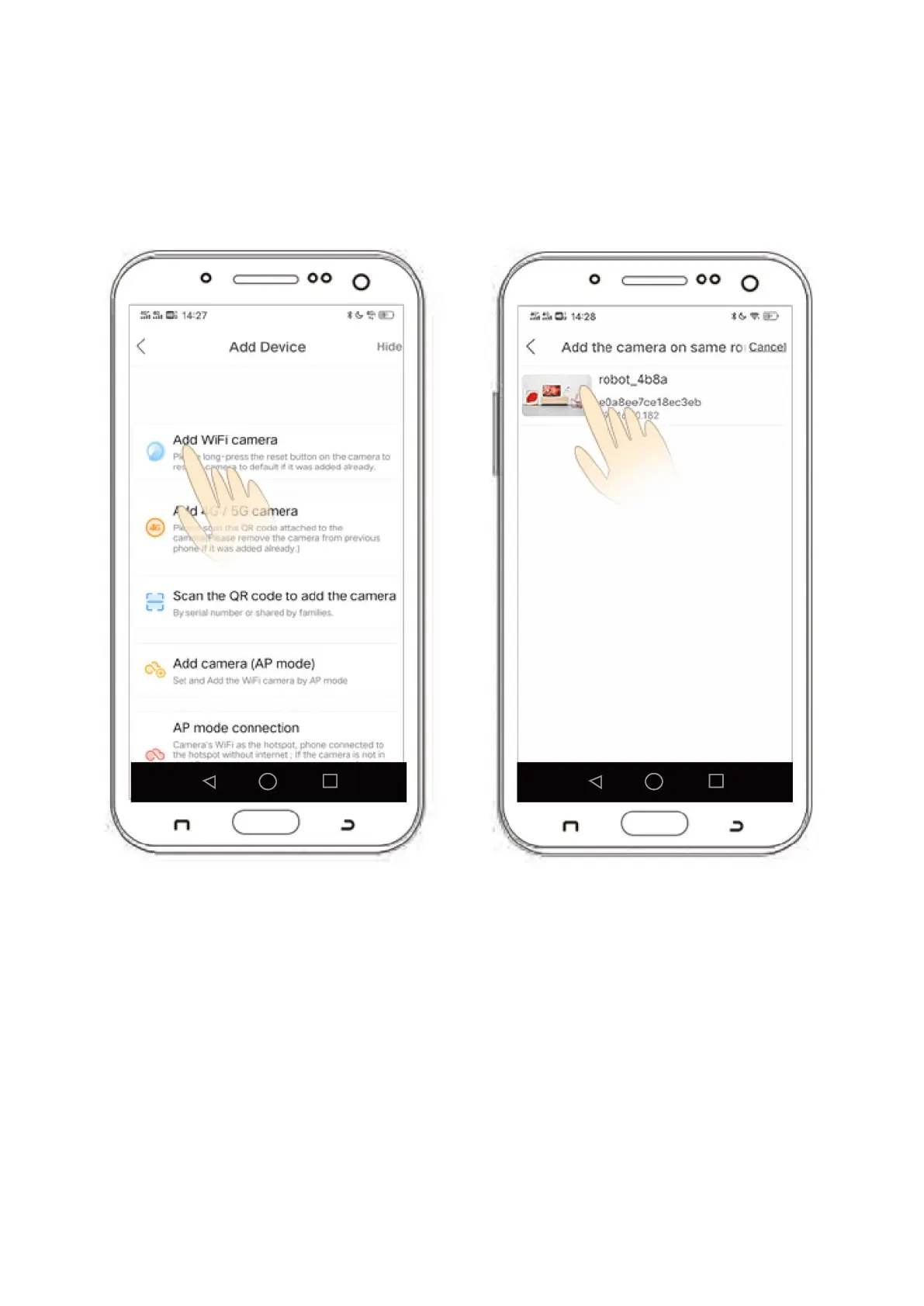
Option 2 - Wired Network Configuration:
1) After logging in, click the '+' icon in the top right hand corner of your device. Select the
third option Add device in the same WI_AN'.
2) Click 'Device Searching Interface' then click 'xmjp_bullet_****'.
3) The camera will now show as 'online' which indicates the connection was successful..


 To Next Page