9 |
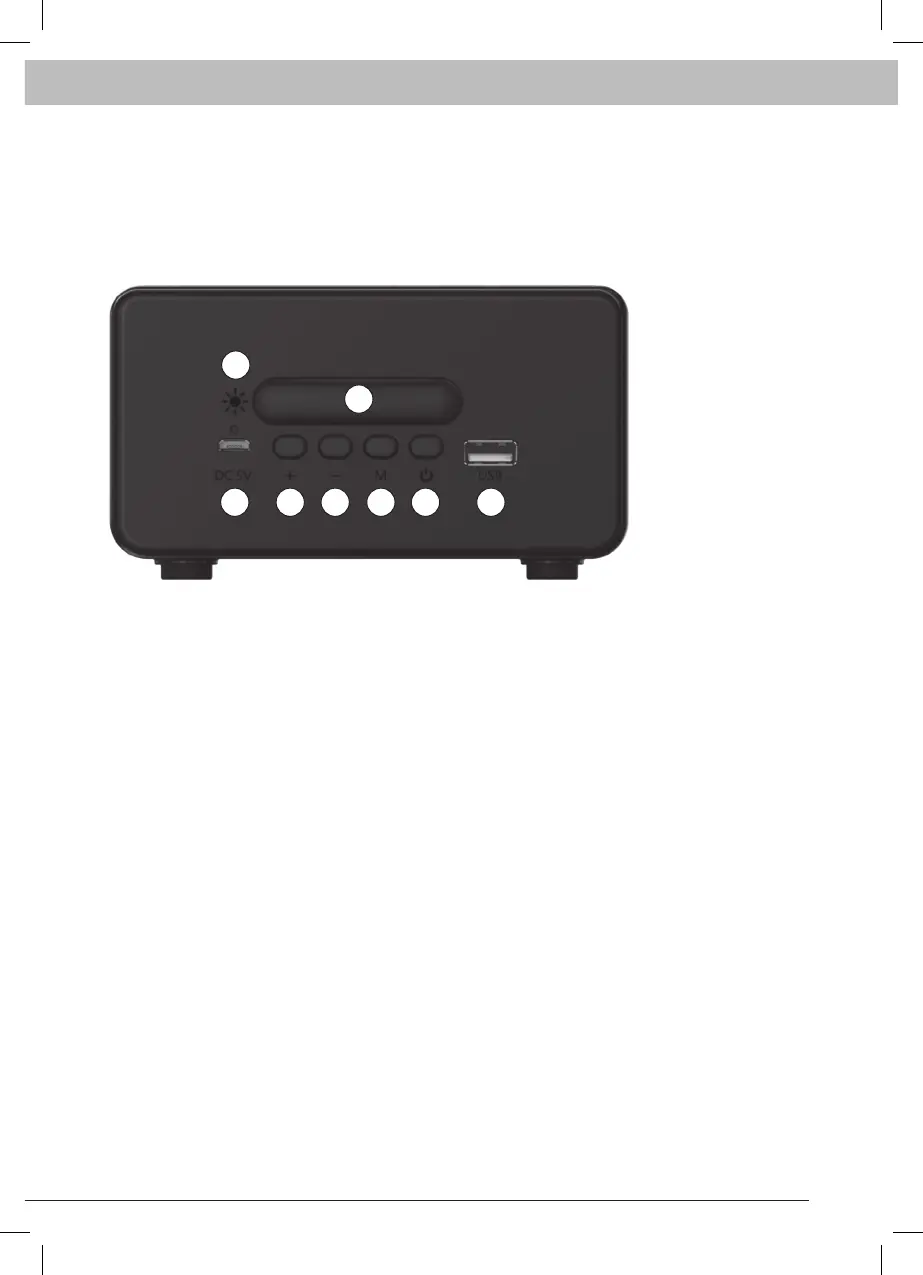
BACK DISPLAY INTERFACE
1. Charging light hole.
2. Short press when alarm: enter snooze mode for 5 minutes.
Other modes short press: cycle adjust light brightness.
3. Type-c charging port.
4. The FM mode Short press: next channel long press: increase volume.
Clock mode short press: add one long press: increment.
5. The FM mode short press: last channel long press: to reduce the volume.
Clock mode short press: minus one long press: decreasing
6. Long press: enter/exit FM mode.
Clock mode short press: sets the alarm/ toggle settings long press: enter/exit FM.
7. The FM mode short press: automatic search table long press:
Time mode short press: set the time long press: enter the background.
Press “boot” for the rst time.
8. The DC 5V power supply.
FM antenna (MIC charging line).
1
2
3 4 5 6 7 8



 To Next Page