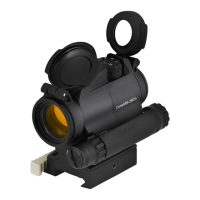
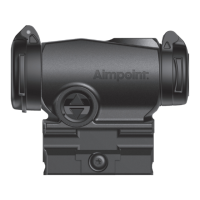
Create a custom elevation setting
a Set the custom turret and custom turret ring to a desired setting.
NOTE: The serrations on the custom turret ring ts the indicator on the locking tab to
produce "clicks". Each custom turret ring clicks corresponds to a 20 mm movement
of Point of Impact (POI) at 100 m. Turning the turret counterclockwise results in
moving POI up. Similarly, turning the turret clockwise moves POI down.
b Insert the drill tool into the drill tool guide as shown in Fig. 7.
CAUTION: DO NOT USE the drill tool without the drill tool guide. Using the drill tool
without the guide can cause irreversible damage to the custom turret and the sight.
c Firmly hold the custom turret while turning the drill tool to create a mark (”A” / Fig. 7).
d Remove the drill tool and inspect the mark. The mark shall be similar to the reference
mark on the drill tool (”B” / Fig. 7).
e Repeat the steps c to d to create more marks in the custom turret.
f Remove the drill tool and the drill tool guide.
g Remove the custom turret ring. Do not remove the custom turret.
h Reinstall the spring lock to the sight and tighten with the T10 Aimpoint tool or
alternatively use the hex key socket on the drill tool guide ("B" / Fig. 6).
CAUTION: DO NOT create overlapping marks ("B" / Fig 7). Ensure the custom
turret is turned at least 3 custom turret ring clicks between each setting.
NOTE: The custom turret ring oers 60 clicks of adjustment from the chosen Zero
Range. At very long distances from the Zero Range, the amount of adjustment
needed to accurately hit a target may become too large. Chose a greater Zero
Range in order to extend the eective range up to the desired distance.


 To Next Page
 Loading...