Installation, Maintenance and Commissioning Manual :6877419 02/2013
EVD EVO Driver Setup
Removable Plug and Play Display
The EVD Evolution uses an optional LCD graphic display for driver configuration. The display uses a plug and
play connection, so it can be mounted and removed at any time (except during parameters loading/downloading
and driver reset).
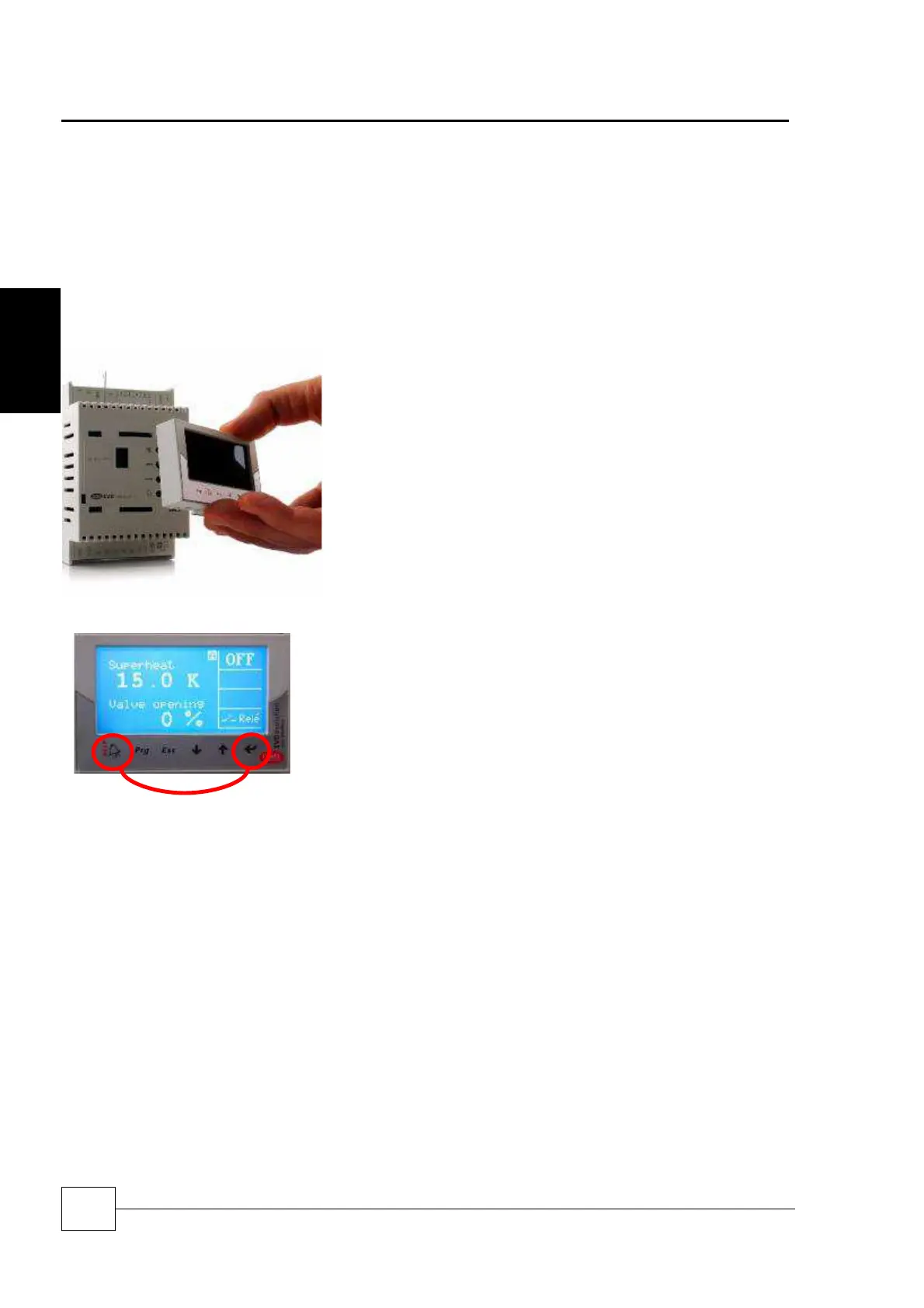
To configure the driver, first unclip the silver front cover by pressing the tab at the top and pulling the cover away.
Next connect the LCD screen to the front of the driver as shown below:
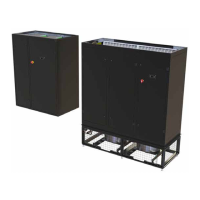
To Switch Between Drivers A and B, Press and Hold the Help/Alarm Key and the
Enter key simultaneously for 1 second.
The selected driver Is shown In The Top Right Corner Of The Screen.
Controls




 To Next Page