1.
4. Cellphone Funcon
4.1 Pair with Cellphone
STEP
2.
STEP
About 5 sec
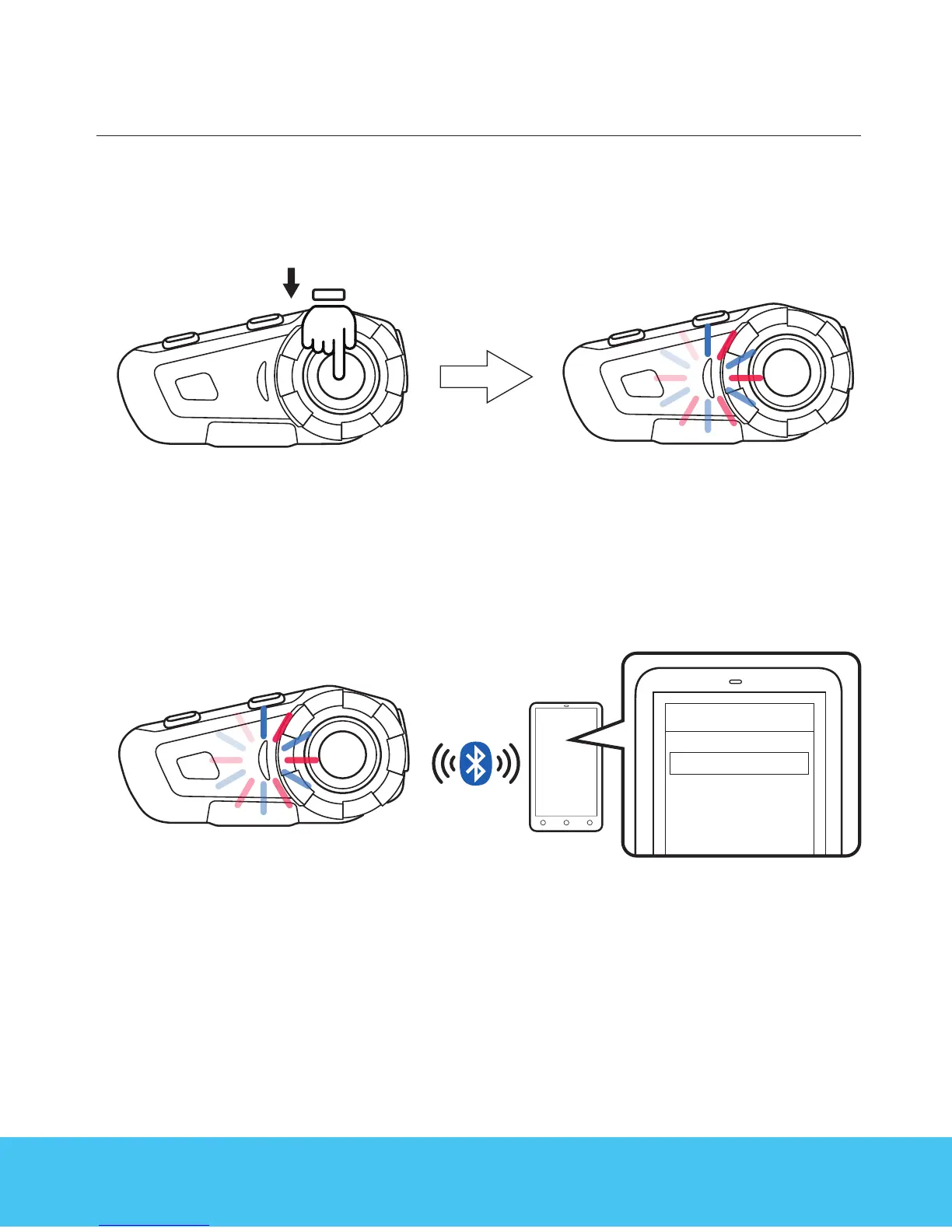
When device is on , long press function button, red and blue light ash
in the function button , entering pairing mode .
Switch cellphone Bluetooth , choose G2, the pairing is complete . Voice
message will also say pairing complete .
Remark:
when pairing complete , please check both cellphone audio
and media audio are all chosen , otherwise call or music can not be
processed .
G2
Name
06



 To Next Page